> For the complete documentation index, see [llms.txt](https://docs.sprinto.com/llms.txt). Markdown versions of documentation pages are available by appending `.md` to page URLs; this page is available as [Markdown](https://docs.sprinto.com/data-library/access/dashboard-actions/configure-access-rules-for-ticketing-systems-mcas.md).
# Configure Access Rules for Ticketing Systems (MCAS)
User access rules play a pivotal role in defining valid users and login protection methods for accessing critical systems. Unlike the Automatic Critical Access System (ACAS), the Manual Critical Access System (MCAS) requires manual configuration of login protection methods and user access validity details.
#### Before You Begin
* Log in to Sprinto as an administrator.
#### Defining User Access Rules
1. Navigate to Data Library > Access > Critical Systems and select the desired critical system from the list. Use the search bar for quick navigation.
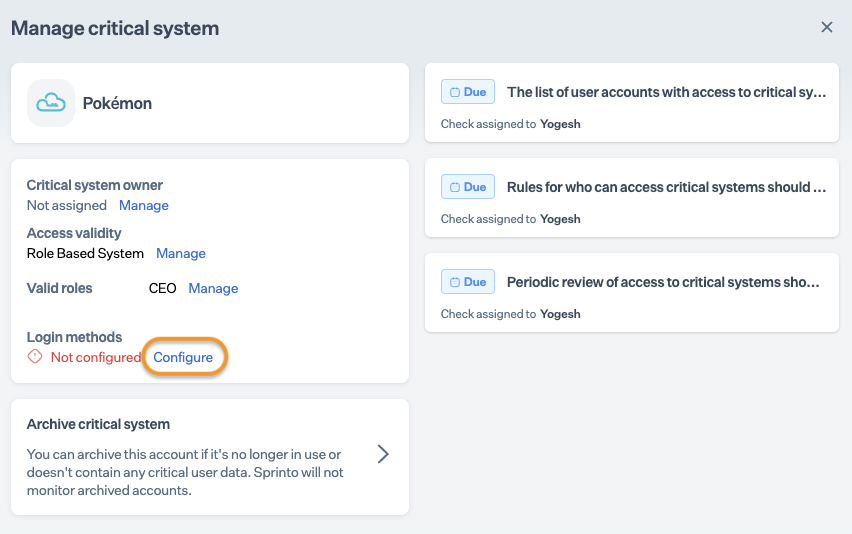
2. On the Critical System’s Summary page, click Configure/Manage. Optionally, you can also click View & Fix next to the Rules for who can access critical systems should be configured.\
Note: Update user access rules for all accounts in case of multiple accounts for a critical system.
3. Defining Access Validity:\
Take the following steps to define the valid users that can access the critical system:
* On the Manage page, click Configure/Manage next to access validity.
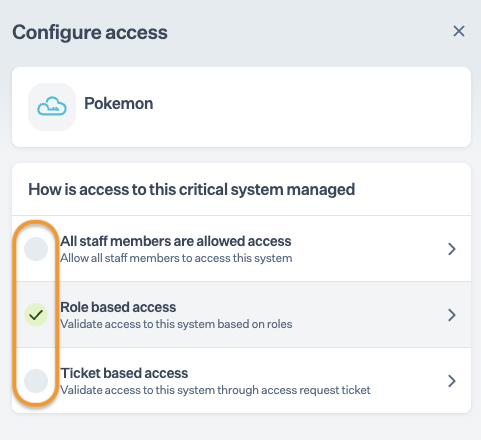
* Choose one of the following options to define valid users:
* All Staff Members Are Allowed Access: For systems accessed by all staff members, such as HRMS services, email providers, VPN services, etc.
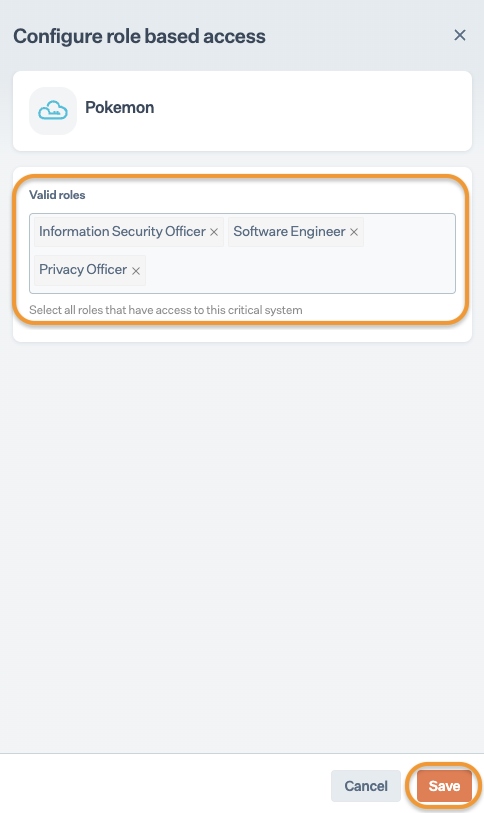
* Role-Based Access: For systems accessed by specific roles in the organization. Select the job roles and click Save.\
Note: You can select multiple roles under Valid roles if required.
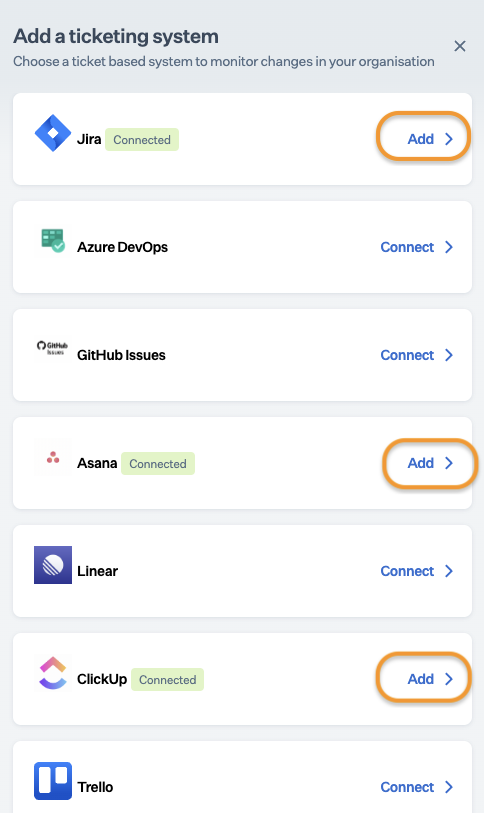
* Ticket-Based Access: For systems accessed based on access requests logged through a ticketing system. Configure the ticketing system after selecting this option.\
Note: " Connected " is highlighted next to already integrated services. Optionally, you can click Connect to integrate a service provider.\
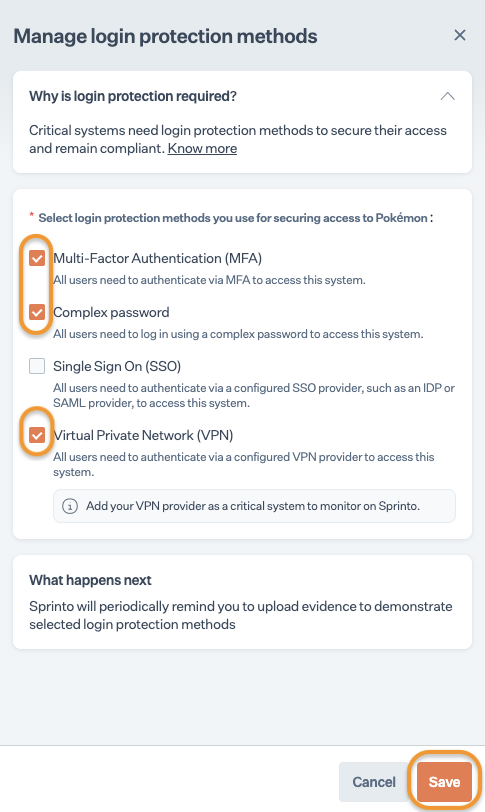
4. Defining Login Methods:
* On the Manage page, click Configure/Manage next to login methods.
* Select the login protection methods for accessing the critical system and click Save.
* Multi-Factor Authentication (MFA)
* Complex Password
* Single Sign-On (SSO)
* Virtual Private Network (VPN)
* After configuring login protection methods, the Sprinto check Evidence should be uploaded for selected login methods within the critical system {critical system name} gets activated. Refer [how to resolve guide](/monitors/authentication-and-access-monitors/how-to-resolve-sprinto-check-for-collecting-evidence-against-configured-login-protection-mechanism.md) for further details.\
#### Conclusion
Once both user access rules is configured against a critical system, the activated Sprinto check status gets updated to “Passing.” Depending on your user access process changes, you can modify these rules anytime if required.
---
# Agent Instructions
This documentation is published with GitBook. GitBook is the documentation platform designed so that both humans and AI agents can read, navigate, and reason over technical content effectively. Learn more at gitbook.com.
## Querying This Documentation
If you need additional information that is not directly available in this page, you can query the documentation dynamically by asking a question.
Perform an HTTP GET request on the current page URL with the `ask` query parameter, and the optional `goal` query parameter:
```
GET https://docs.sprinto.com/data-library/access/dashboard-actions/configure-access-rules-for-ticketing-systems-mcas.md?ask=&goal=
```
`ask` is the immediate question: it should be specific, self-contained, and written in natural language.
`goal` is optional and describes the broader end goal you are ultimately trying to accomplish on behalf of the user. GitBook uses it to tailor the answer towards what is most useful for that goal.
The response will contain a direct answer to the question and relevant excerpts and sources from the documentation.
Use this mechanism when the answer is not explicitly present in the current page, you need clarification or additional context, or you want to retrieve related documentation sections.