# Overview

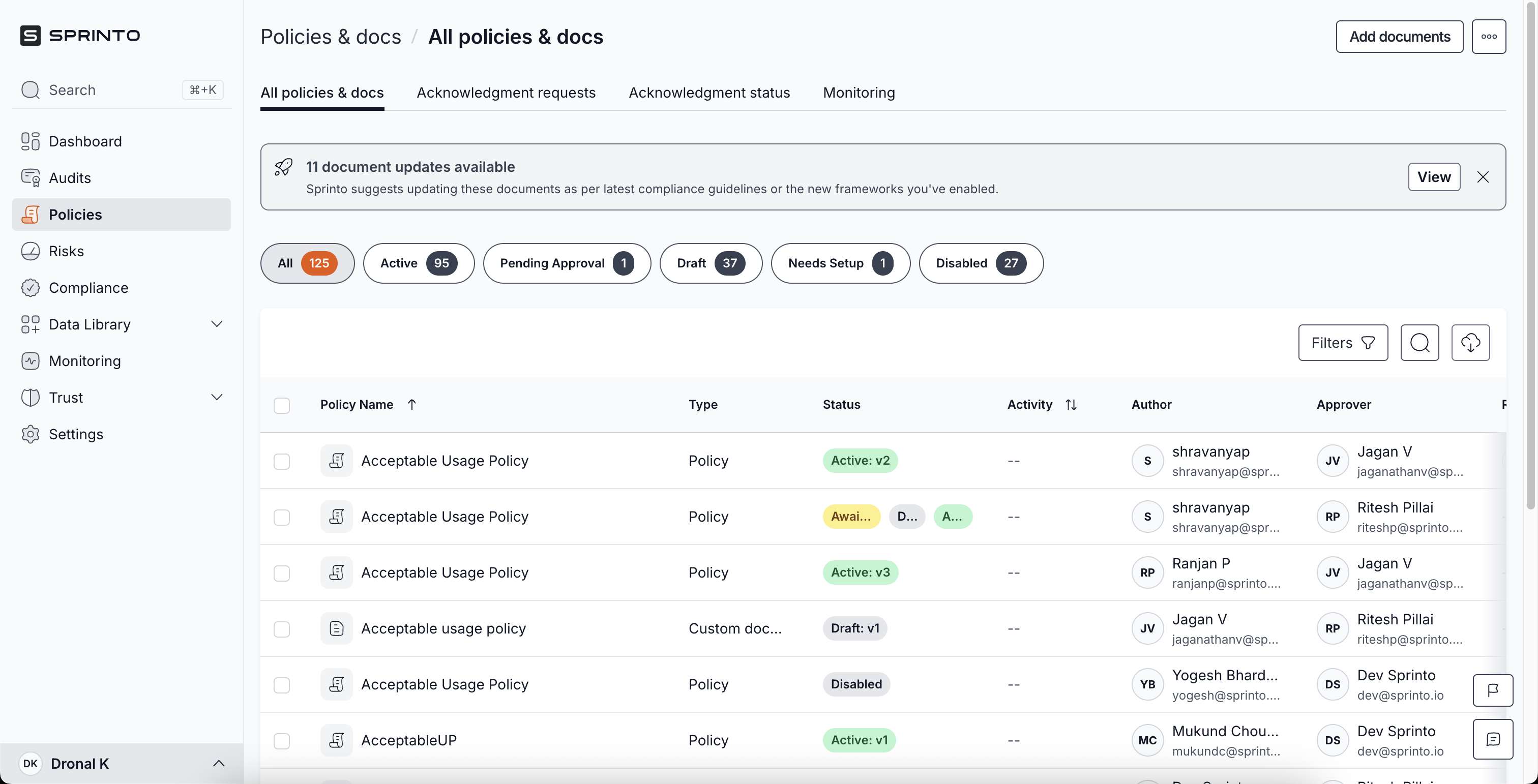
Sprinto helps you set up policies that are aligned with your compliance frameworks, track their approval and acknowledgment status, and ensure that your employees are always aware of the rules that govern your operations.

***

### **What are Policies?**

Policies are documented rules that define how your organisation operates securely, ethically, and in compliance with regulatory requirements. They are essential for building trust with auditors, customers, and employees.

Each policy sets the **what**—the rule itself—while procedures define the **how**—the steps required to implement or comply with the rule. Sprinto also supports non-policy artefacts, such as ISMS scope documents or audit reports, which can be submitted as evidence.

<figure><img src="https://3220032727-files.gitbook.io/~/files/v0/b/gitbook-x-prod.appspot.com/o/spaces%2FEsyn5VMU6e0OyGjRtKgx%2Fuploads%2Fyp1xoFswEe83xiwyaWHk%2FScreenshot%202025-06-19%20at%2014.38.14.png?alt=media&#x26;token=e3610254-1031-4634-8571-2c4de7ef72c2" alt=""><figcaption></figcaption></figure>

***

### **Why use Policies in Sprinto?**

* Get pre-configured policies tailored to your selected framework
* Create or upload policies and procedures with flexible options
* Assign approval workflows and track employee acknowledgements
* Map policies to relevant security controls for audit readiness
* Sync with Confluence or SharePoint to import existing documentation

***

### **Supported document types**

<table><thead><tr><th width="108.71875">Type</th><th width="595.91015625">Description</th></tr></thead><tbody><tr><td><strong>Policy</strong></td><td>Defines an organisational rule (e.g. <em>All staff devices must be encrypted</em>).</td></tr><tr><td><strong>Procedure</strong></td><td>Describes how to implement a policy (e.g. <em>Steps to enable encryption on Windows</em>).</td></tr><tr><td><strong>Document</strong></td><td>Any supporting artefact, such as an audit charter, vendor risk assessment, or system description.</td></tr></tbody></table>

You can create these using Sprinto templates, write them from scratch, upload them as PDFs, or sync them from Confluence or SharePoint.

***

### **Who is it for?**

<table><thead><tr><th width="235.890625">Role</th><th width="487.8828125">Responsibilities</th></tr></thead><tbody><tr><td><strong>Admins and InfoSec owners</strong></td><td>Set up and maintain policies, assign reviewers, track acknowledgements, and monitor version history.</td></tr><tr><td><strong>Employees</strong></td><td>View and acknowledge assigned policies through the employee portal.</td></tr><tr><td><strong>Auditors</strong></td><td>Review policy documents and control mappings during compliance assessments.</td></tr></tbody></table>

***

### **Use cases**

<table><thead><tr><th width="222.2890625">Scenario</th><th>Description</th></tr></thead><tbody><tr><td><strong>Initial setup</strong></td><td>Create policies using framework-aligned templates to get started quickly.</td></tr><tr><td><strong>Policy maintenance</strong></td><td>Keep policies up to date, versioned, and reviewed by the right stakeholders.</td></tr><tr><td><strong>Audit readiness</strong></td><td>Map policies to controls and generate evidence reports for audit cycles.</td></tr><tr><td><strong>Organisation-wide rollout</strong></td><td>Assign policies to specific teams or business units using zones.</td></tr><tr><td><strong>Documentation sync</strong></td><td>Automatically pull policies and procedures from Confluence or SharePoint.</td></tr></tbody></table>
