> For the complete documentation index, see [llms.txt](https://docs.sprinto.com/llms.txt). Markdown versions of documentation pages are available by appending `.md` to page URLs; this page is available as [Markdown](https://docs.sprinto.com/monitors/encryption-and-backup-monitoring/how-to-restore-data-from-database-backup.md).
# How To Restore Data From Database Backup
### **What is Data Restoration From Database Backup?**
Data backup restoration is an exercise that need to be conducted on a regular period ensuring that the data can be restored from the database backup in case of any unforeseen event such as natural disaster, hardware failure, software failure etc. All the modern popular databases comes with the feature of data restoration from the latest backup on the database as and when needed.
### **Importance of Data Restoration From Backup:**
In the event of a digital infrastructure failure caused by natural disasters, hardware or software failures, etc., data can be restored from a database backup to avoid service downtime. Backups can also prevent data corruption resulting from system failures or other issues. Organizations that lack backup data risk losing critical information, resulting in financial loss, damage to reputation, and legal implications. Therefore, having a reliable backup and restoration process is essential for data security, business continuity, and risk management.
To ensure the ability to restore data through backups, it is crucial to perform regular data backups. One of the best ways to accomplish this is by setting up automated database backups. Refer to [enable periodic backup of database](https://sprinto.freshdesk.com/support/solutions/articles/72000597506-why-periodic-database-backups-are-crucial-and-how-sprinto-can-help-) to learn how to enable automatic periodic database backups.
### **How Does Sprinto Manages Periodic Data Restoration From Backup**
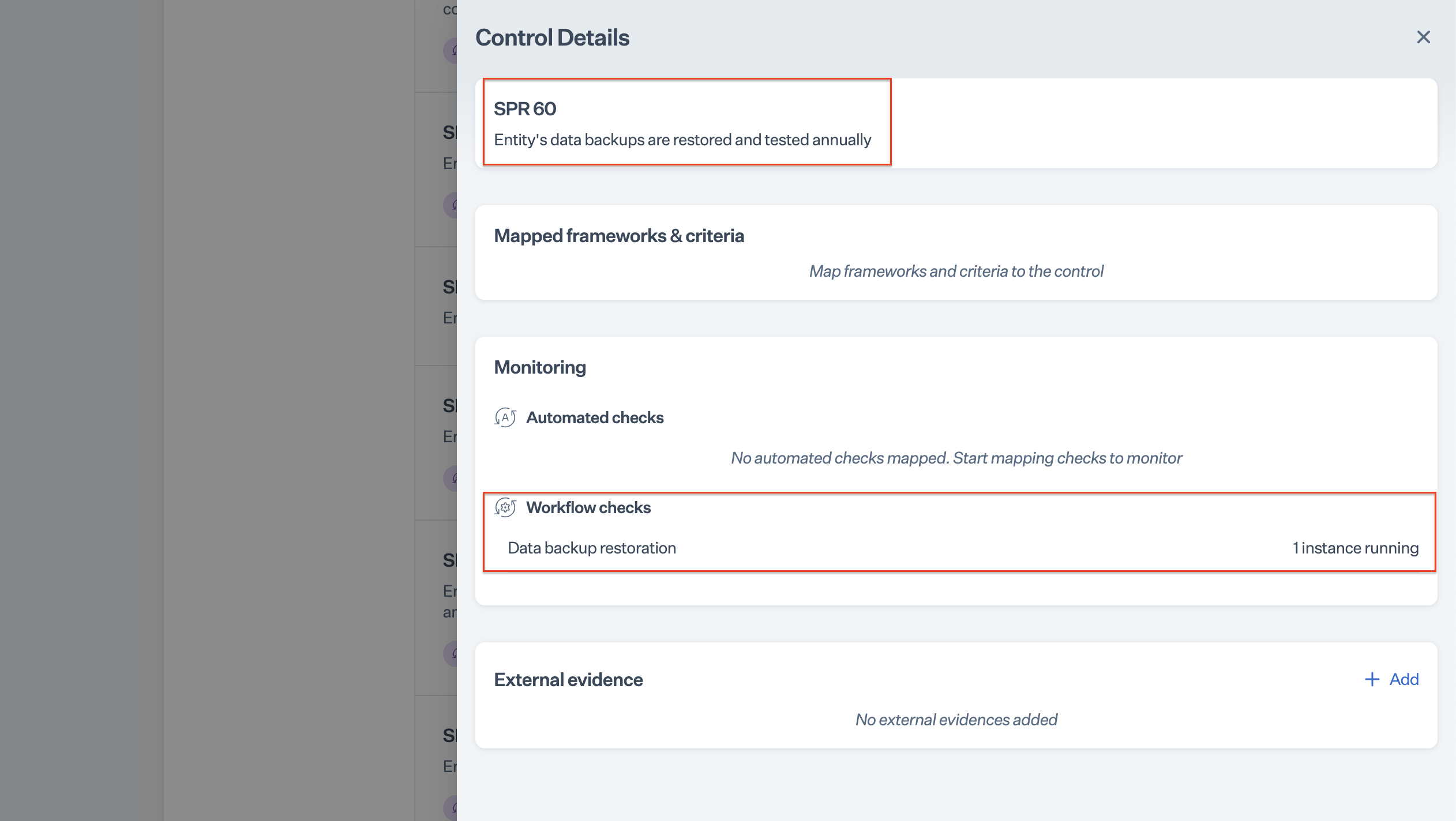
Security compliance frameworks requirement states that the data restoration from the database backup need to be performed periodically to ensure the capability of the system to restore data through backup.
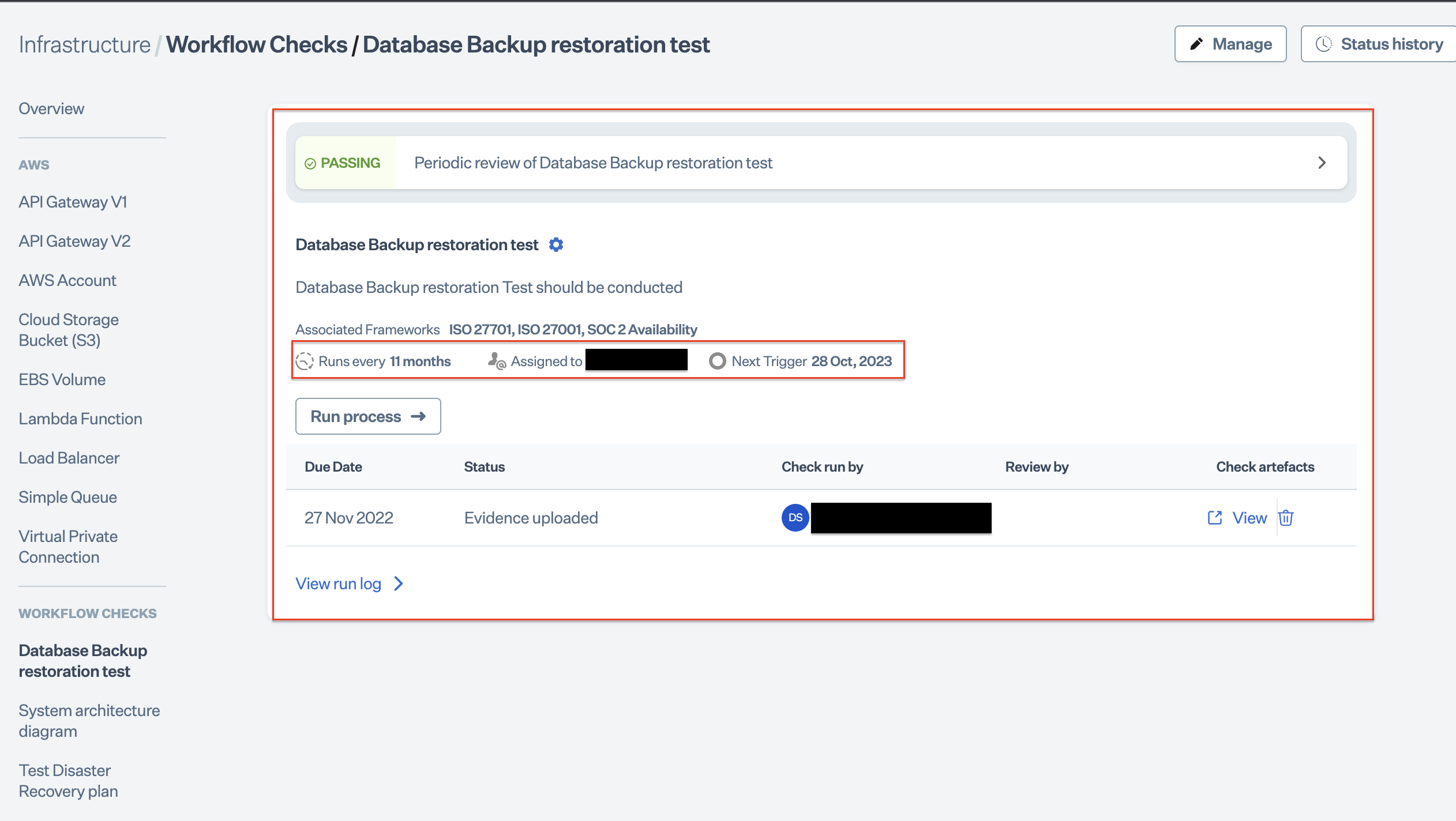
Sprinto comes with a built-in work flow check helps the user to remind about performing the data restoration test from the database backup. The backup action need to be performed periodically by the assigned stakeholder to pass this check and meet the the security framework requirement.
### **Data Restoration Procedures:**
Refer to the following for the data restoration procedures applicable to the individual databases.
* [Azure Cosmos DB](https://learn.microsoft.com/en-us/azure/cosmos-db/configure-periodic-backup-restore#modify-backup-options-using-azure-portal---existing-account)
* [DigitalOcean DB](https://docs.digitalocean.com/products/databases/mongodb/how-to/restore-from-backups/)
* [MongoDB Atlas](https://www.mongodb.com/docs/atlas/backup-restore-cluster/)
* [GCP Cloud SQL](https://cloud.google.com/sql/docs/mysql/backup-recovery/restoring)
* [Amazon EFS](https://aws.amazon.com/getting-started/hands-on/amazon-efs-backup-and-restore-using-aws-backup/)
* [Amazon Redshift](https://docs.aws.amazon.com/redshift/latest/mgmt/working-with-snapshots.html)
* [Amazon RDS](https://docs.aws.amazon.com/AmazonRDS/latest/UserGuide/CHAP_BackupRestore_Instance.html)
---
# Agent Instructions
This documentation is published with GitBook. GitBook is the documentation platform designed so that both humans and AI agents can read, navigate, and reason over technical content effectively. Learn more at gitbook.com.
## Querying This Documentation
If you need additional information that is not directly available in this page, you can query the documentation by asking a question.
Perform an HTTP GET request on the following URL with the `ask` and `goal` query parameters:
```
GET https://docs.sprinto.com/monitors/encryption-and-backup-monitoring/how-to-restore-data-from-database-backup.md?ask=&goal=
```
`ask` is the immediate question: it should be specific, self-contained, and written in natural language.
`goal` is what the user is ultimately trying to achieve, the reason they need the answer. Sharing it helps GitBook give you a better, more relevant answer. A goal is most helpful when it describes the outcome the user wants rather than restating the question. For example, with `ask=how do I create an API token`, a goal like `automate deployments from our CI pipeline` lets GitBook tailor the answer to that use case.
The response will contain a direct answer to the question and relevant excerpts and sources from the documentation.
Use this mechanism when the answer is not explicitly present in the current page, you need clarification or additional context, or you want to retrieve related documentation sections.