> For the complete documentation index, see [llms.txt](https://docs.sprinto.com/llms.txt). Markdown versions of documentation pages are available by appending `.md` to page URLs; this page is available as [Markdown](https://docs.sprinto.com/monitors/encryption-and-backup-monitoring/how-to-resolve-sprinto-check-for-encrypting-azure-sql-database.md).
# How to resolve Sprinto check for encrypting Azure SQL database
### About
Sprinto Check: Azure SQL database should be encrypted
Transparent Data Encryption (TDE) for Azure SQL Database ensures data encryption at rest, adding an essential layer of security. This article guides you through the features of TDE, its benefits, and the steps to manage TDE settings in the Azure portal.
### Purpose
The Sprinto check for Azure SQL Database TDE aims to ensure that databases are encrypted at rest, protecting sensitive data from unauthorized or offline access. This implementation helps you:
* Data Security: Enhance the security of Azure SQL databases by encrypting the entire database at rest.
* Compliance Requirements: Fulfill encryption compliance and regulatory requirements for sensitive data storage.
* Azure Portal Management: Understand how to enable, disable, and manage TDE settings in the Azure portal.
* Sprinto Check Passing: Update the Sprinto check status to "Passing" after implementing the recommended encryption measures.
### How to Implement
To manage Transparent Data Encryption (TDE) for Azure SQL Database, follow these steps in the Azure portal:
#### Before you Begin
* Ensure you have the necessary permissions (Azure Owner, Contributor, or SQL Security Manager) to configure TDE in the Azure portal.
* Log in to Sprinto as an administrator.
#### Azure Portal TDE Configuration
1. Service-Managed TDE:
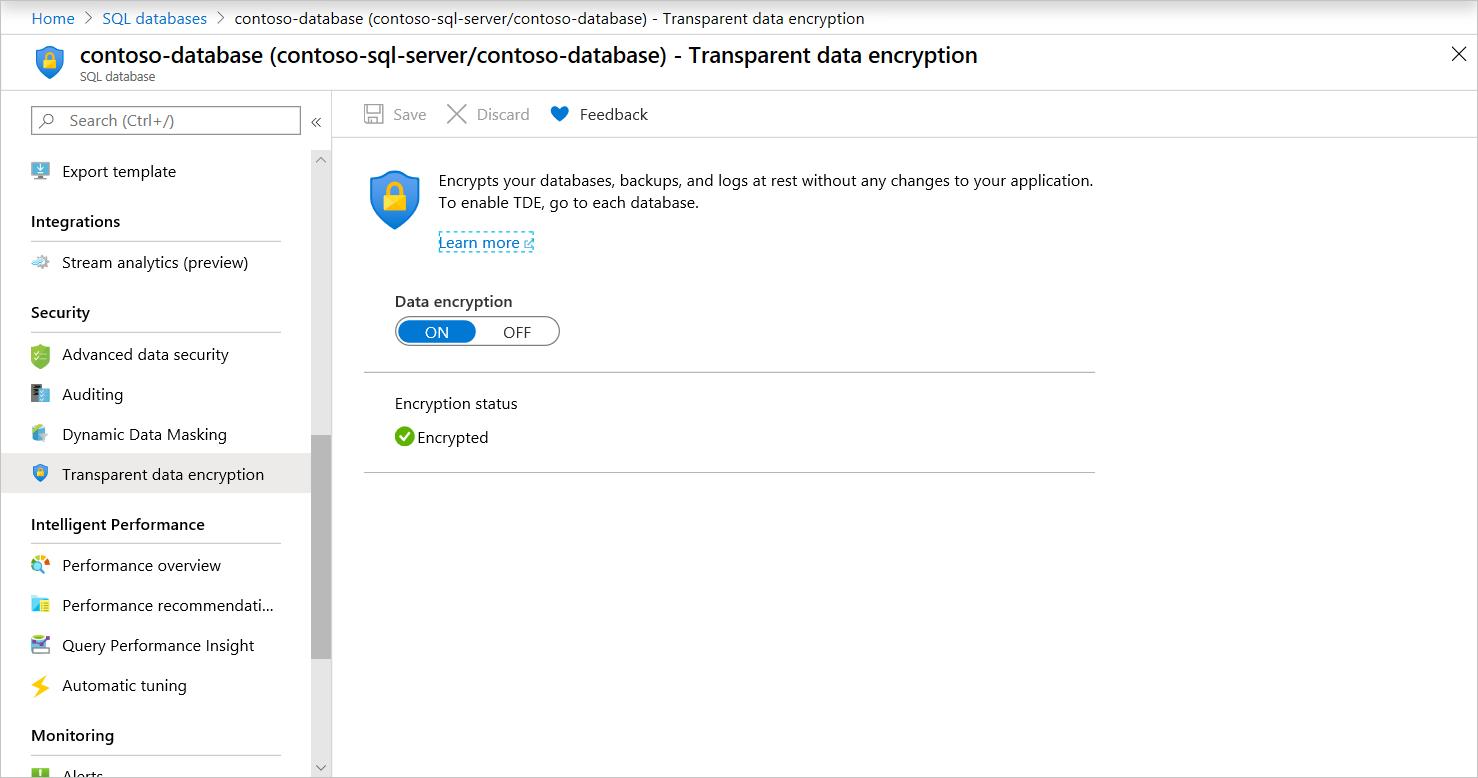
* For Azure SQL Database and Azure Synapse, sign in to the Azure portal with the Azure Administrator or Contributor account.
* Navigate to your user database and find TDE settings under your database.
* Service-managed TDE is enabled by default, and a TDE certificate is automatically generated for the server containing the database.
2. TDE with BYOK Support:
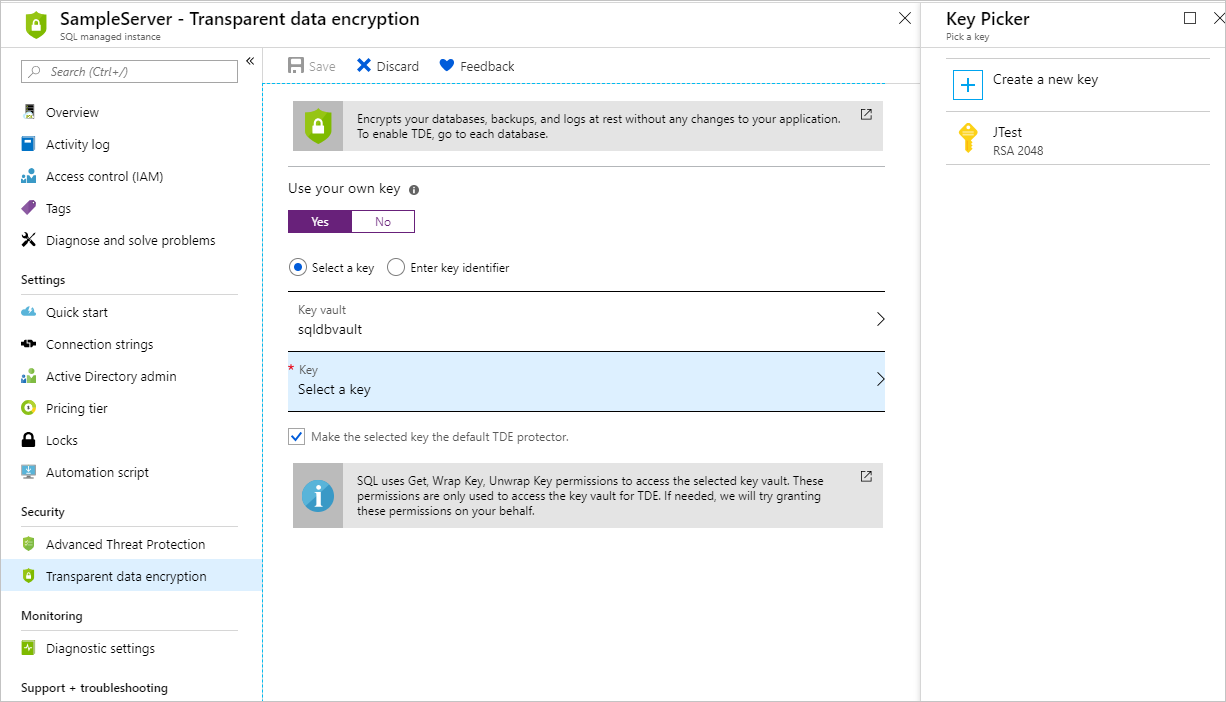
* To use TDE with Bring Your Own Key (BYOK) support, open TDE settings under your server.
* Set the TDE master key (TDE protector) at the server or instance level.
* Protect databases with a key from Azure Key Vault.
#### Additional Information
* TDE encrypts the entire database using an AES encryption algorithm without requiring changes to existing applications.
* Certificate maintenance and rotation are managed by the Azure service.
* Customers preferring control over encryption keys can manage keys in Azure Key Vault.
With the above action, Sprinto retrieves the changes from your Azure account and set the checks against the SQL database to “Passing.”
For additional assistance or queries regarding Sprinto check, please contact [Sprinto Support](mailto:www.support@sprinto.com).
---
# Agent Instructions
This documentation is published with GitBook. GitBook is the documentation platform designed so that both humans and AI agents can read, navigate, and reason over technical content effectively. Learn more at gitbook.com.
## Querying This Documentation
If you need additional information that is not directly available in this page, you can query the documentation dynamically by asking a question.
Perform an HTTP GET request on the current page URL with the `ask` query parameter, and the optional `goal` query parameter:
```
GET https://docs.sprinto.com/monitors/encryption-and-backup-monitoring/how-to-resolve-sprinto-check-for-encrypting-azure-sql-database.md?ask=&goal=
```
`ask` is the immediate question: it should be specific, self-contained, and written in natural language.
`goal` is optional and describes the broader end goal you are ultimately trying to accomplish on behalf of the user. GitBook uses it to tailor the answer towards what is most useful for that goal.
The response will contain a direct answer to the question and relevant excerpts and sources from the documentation.
Use this mechanism when the answer is not explicitly present in the current page, you need clarification or additional context, or you want to retrieve related documentation sections.