> For the complete documentation index, see [llms.txt](https://docs.sprinto.com/llms.txt). Markdown versions of documentation pages are available by appending `.md` to page URLs; this page is available as [Markdown](https://docs.sprinto.com/monitors/cloud-and-infrastructure-monitoring/aws/how-to-resolve-sprinto-check-for-validating-aws-load-balancers-configuration.md).
# How to resolve Sprinto check for validating AWS load balancers' configuration
### About:
Sprinto check: AWS load balancer should have valid configuration
The above-mentioned Sprinto check verifies that you are using a load balancer within your AWS environment to distribute incoming traffic across multiple resources, such as EC2 instances, containers, or Lambda functions.
### Purpose:
This check ensures that your applications or services have a load-balancing mechanism to improve their availability, scalability, and fault tolerance. A load balancer distributes incoming traffic across multiple resources, reducing the risk of a single point of failure. Load balancers also provide features like health checks, session persistence, and SSL/TLS termination.
### How to fix this check:
Follow the below steps to resolve this check:
#### Before you begin
* Ensure you have administrator privilege to manage and configure AWS load-balancing services.
#### Configuring a Load Balancer
Note: The below procedure showcases how to review the load balancer for EC2 service. Similarly, review the use of load balancers on other services.
1. Log in to [AWS Console](https://aws.amazon.com/console/) using your credentials.
2. Navigate to the AWS EC2 service.
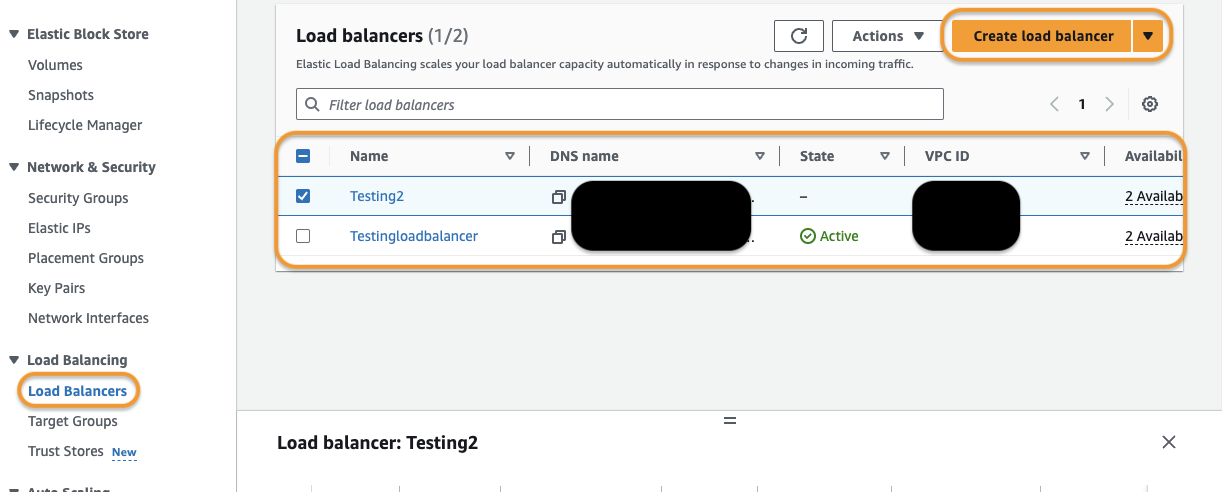
3. Click on Load Balancers from the left-side navigation bar.
4. Ensure that the currently configured load balancers meet the following conditions:
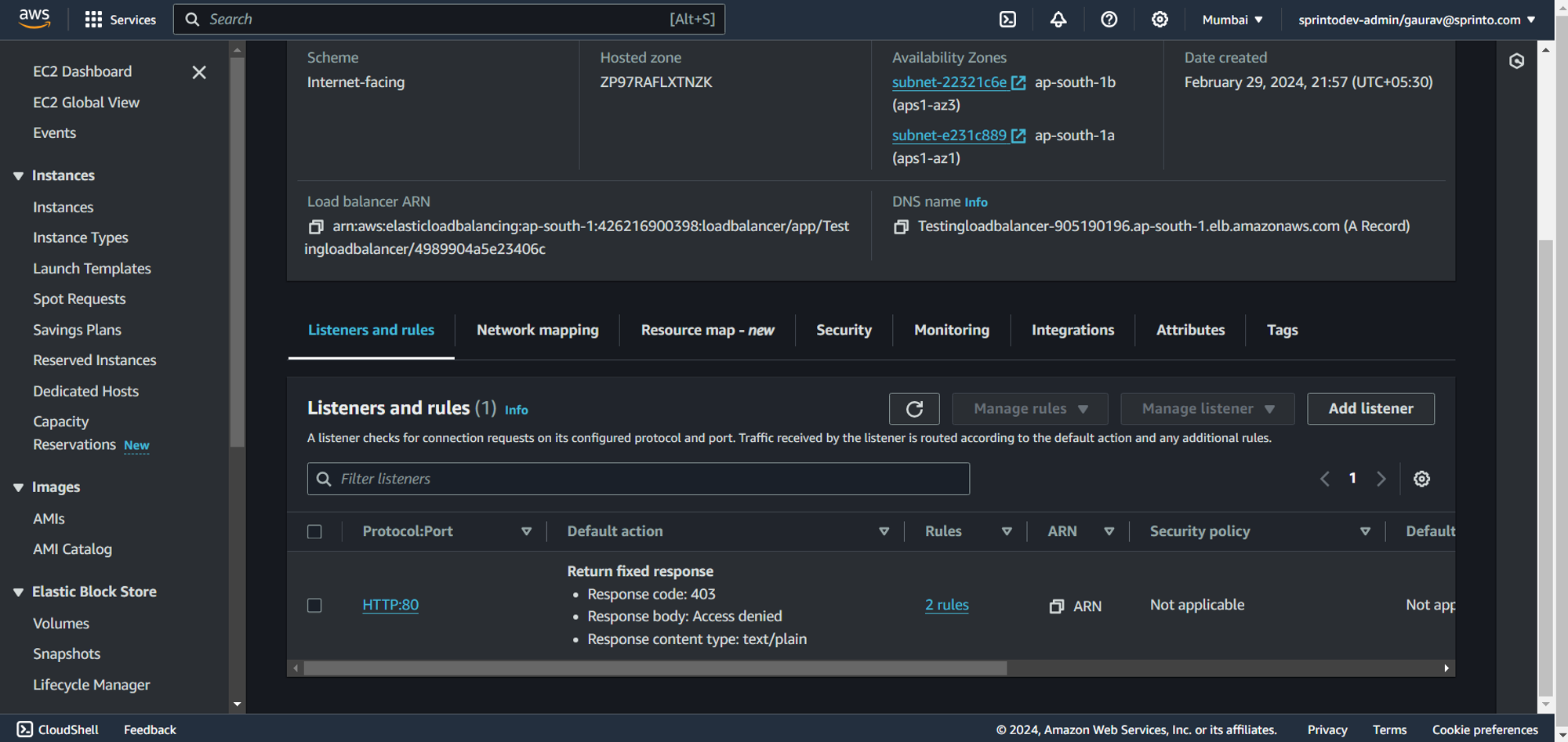
* Each configured load balancer must be Active. If you have any inactive or dormant load balancers, delete them.
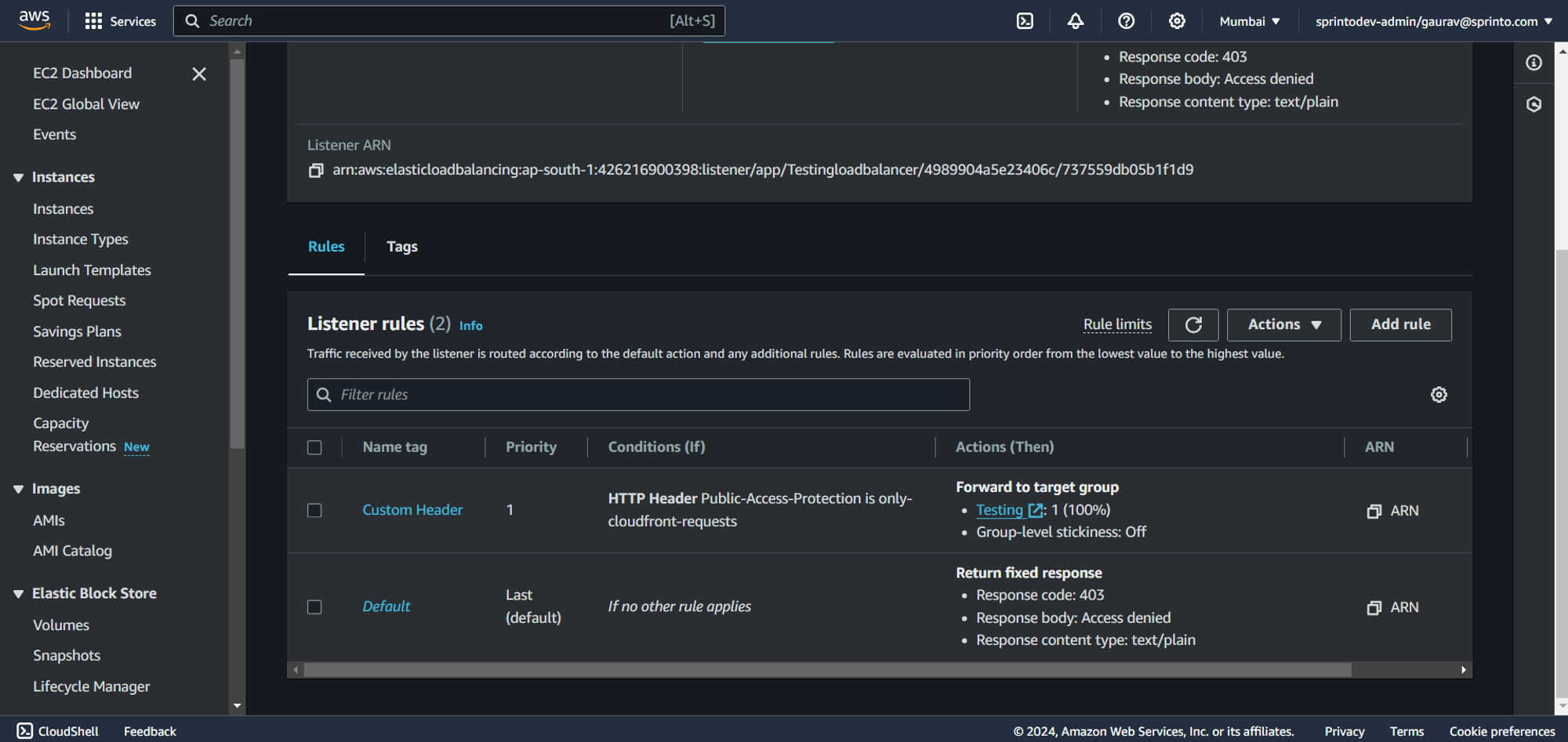
* Every default action for a listener must have a target group assigned.
* Each target group should be listed under the default action.
5. Click Create load balancer to create a new load balancer if required.
Sprinto will detect the presence of a configured load balancer and set the check status to "Passing.”
Contact [Sprinto support](mailto:www.support@sprinto.com) for any queries related to the check or need assistance.
---
# Agent Instructions
This documentation is published with GitBook. GitBook is the documentation platform designed so that both humans and AI agents can read, navigate, and reason over technical content effectively. Learn more at gitbook.com.
## Querying This Documentation
If you need additional information that is not directly available in this page, you can query the documentation dynamically by asking a question.
Perform an HTTP GET request on the current page URL with the `ask` query parameter, and the optional `goal` query parameter:
```
GET https://docs.sprinto.com/monitors/cloud-and-infrastructure-monitoring/aws/how-to-resolve-sprinto-check-for-validating-aws-load-balancers-configuration.md?ask=&goal=
```
`ask` is the immediate question: it should be specific, self-contained, and written in natural language.
`goal` is optional and describes the broader end goal you are ultimately trying to accomplish on behalf of the user. GitBook uses it to tailor the answer towards what is most useful for that goal.
The response will contain a direct answer to the question and relevant excerpts and sources from the documentation.
Use this mechanism when the answer is not explicitly present in the current page, you need clarification or additional context, or you want to retrieve related documentation sections.