> For the complete documentation index, see [llms.txt](https://docs.sprinto.com/llms.txt). Markdown versions of documentation pages are available by appending `.md` to page URLs; this page is available as [Markdown](https://docs.sprinto.com/monitors/audit-logs-and-evidence-trails/how-to-resolve-sprinto-check-for-archiving-azure-activity-logs.md).
# How to resolve Sprinto check for archiving Azure activity logs
### About
Sprinto Check: Azure activity logs should be archived
Upon recognizing the importance of maintaining a comprehensive record of operations within your Azure resources, Sprinto has a dedicated check to ensure the archiving Azure Activity Logs can meet compliance requirements. This feature ensures that historical data is securely stored, enabling effective investigation and troubleshooting.
### Purpose
Archiving Azure activity logs is critical for various scenarios, especially when compliance standards dictate the retention of historical records. This process allows you to investigate security incidents, identify the root cause of issues, and meet regulatory requirements.
### Procedure
Follow these steps to set up and configure the archiving of Azure activity logs:
1. Log in to the[ Azure portal](https://portal.azure.com/) using your credentials.
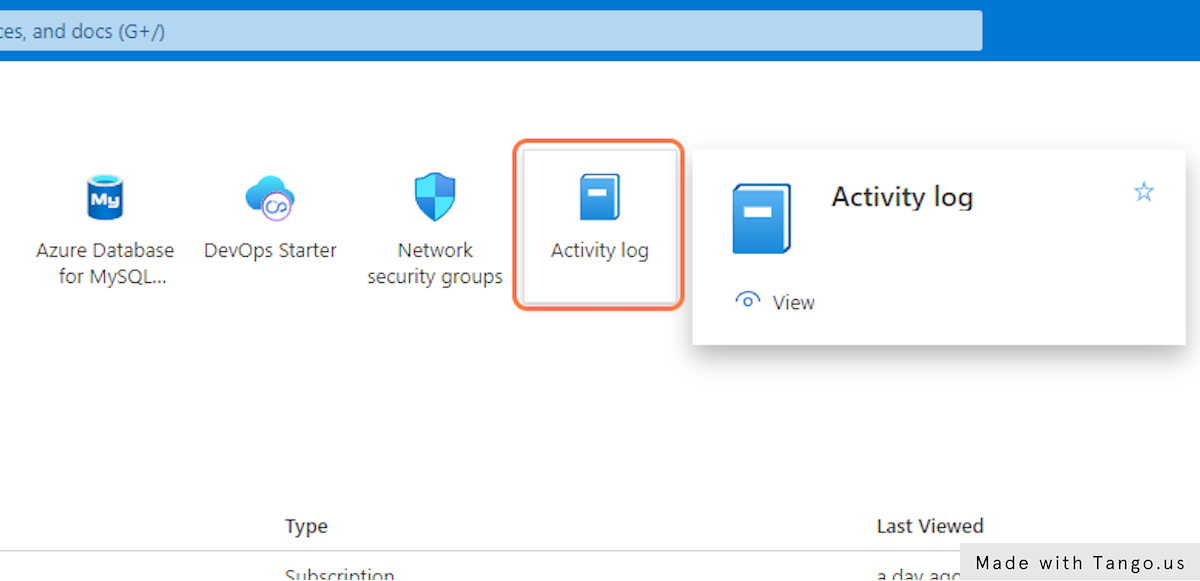
2. Click on Activity log in the Azure portal menu.
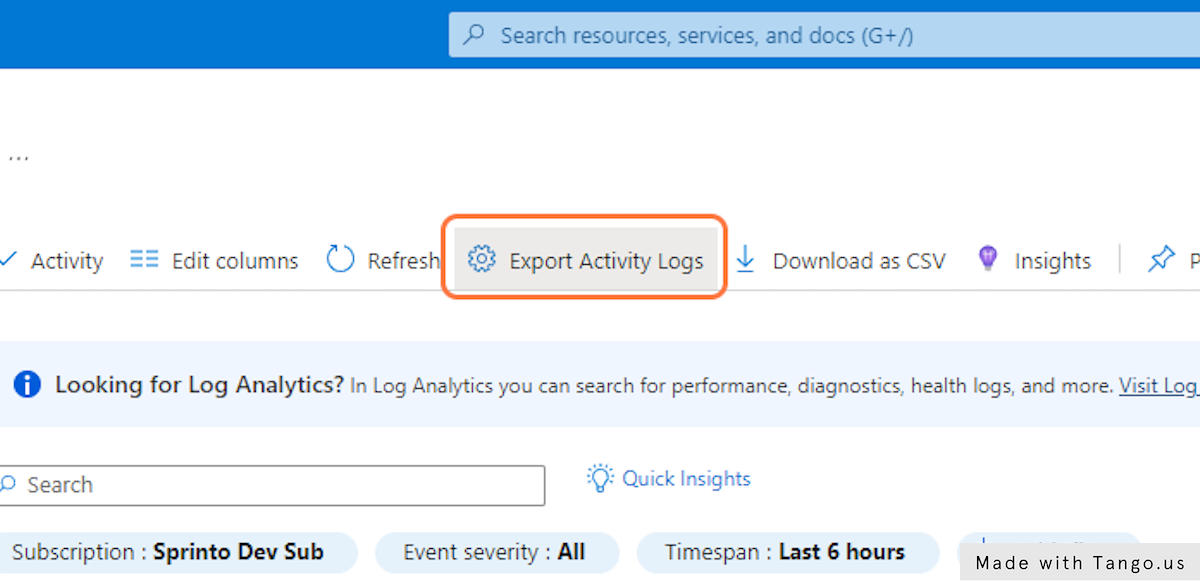
3. Click on Export Activity Logs to initiate the configuration process.
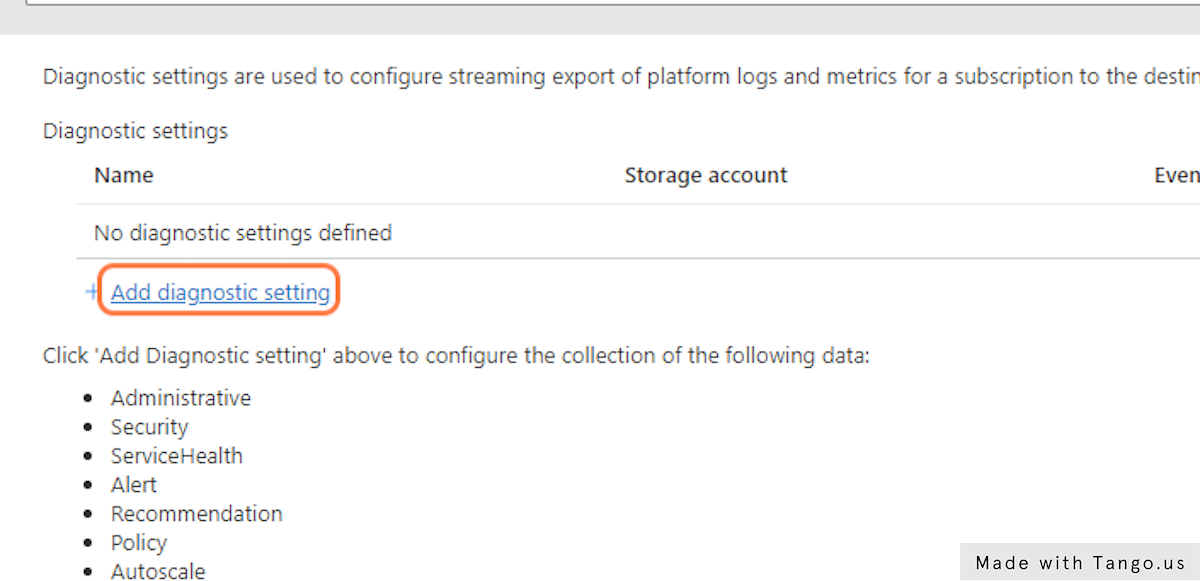
4. Click on Add diagnostic setting to define the settings for exporting activity logs.
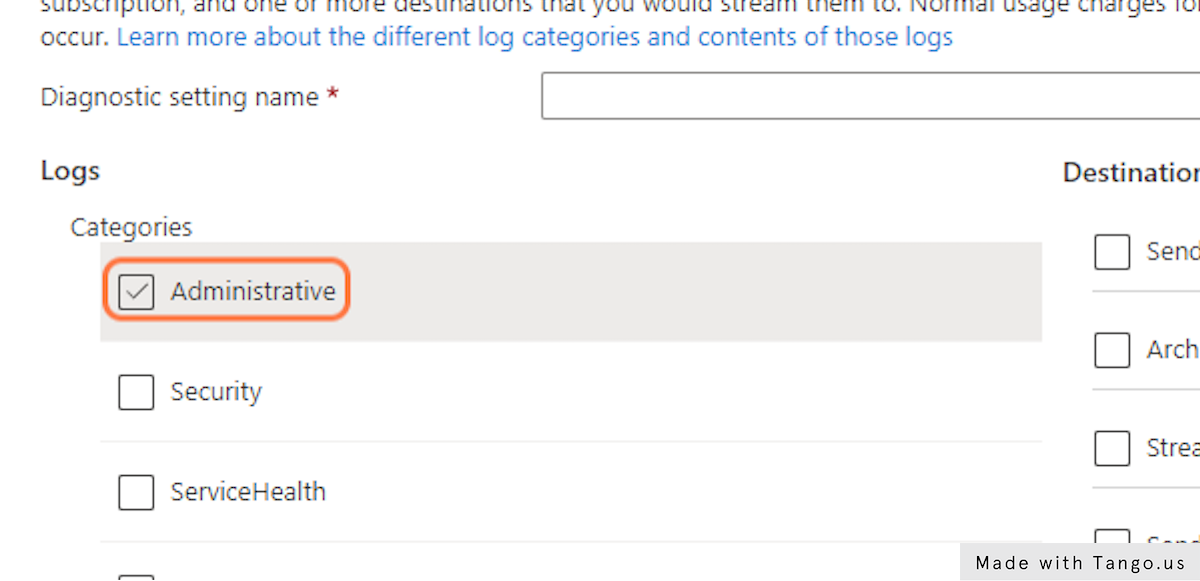
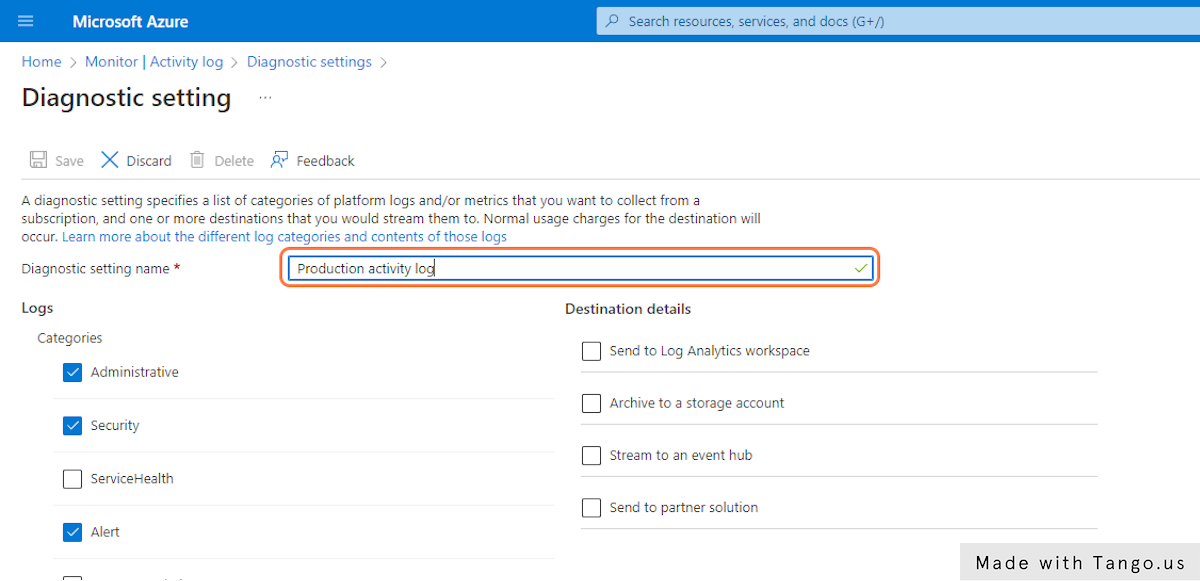
5. Select relevant log categories such as Administrative, Security, Policy, and Alert.
6. Enter the desired log name as part of the configuration.
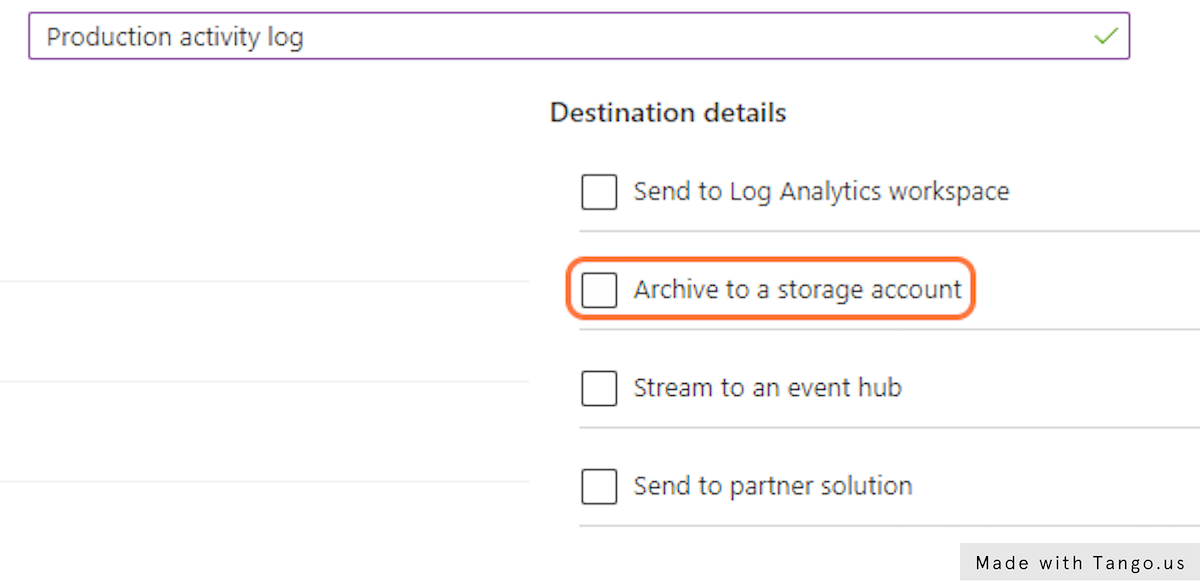
7. Add destination details, ideally specifying a storage account for archiving the activity logs.
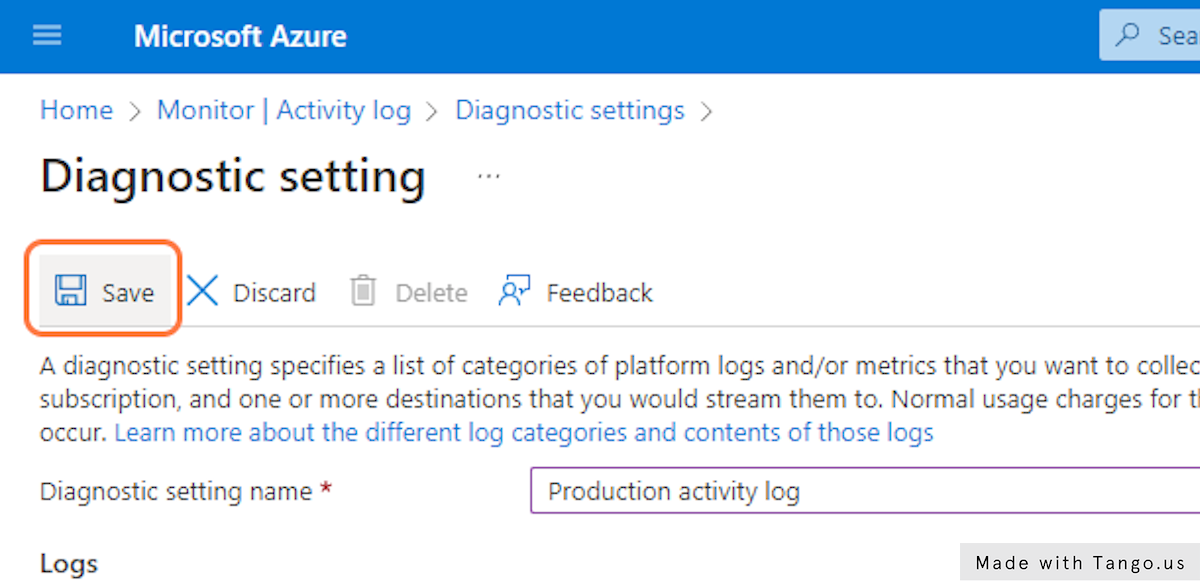
8. Click on Save to apply and save the diagnostic setting.
Following these steps ensures that your Azure activity logs are configured to be archived and meet compliance requirements. The historical record of activities can be instrumental in addressing security concerns and complying with regulatory standards. Sprinto fetches the changes and sets the check status to "Passing.”
If you encounter any challenges or require further assistance with Azure Activity Logs Archiving, please reach out to [Sprinto support](mailto:www.support@sprinto.com). We're here to help!
---
# Agent Instructions
This documentation is published with GitBook. GitBook is the documentation platform designed so that both humans and AI agents can read, navigate, and reason over technical content effectively. Learn more at gitbook.com.
## Querying This Documentation
If you need additional information that is not directly available in this page, you can query the documentation dynamically by asking a question.
Perform an HTTP GET request on the current page URL with the `ask` query parameter, and the optional `goal` query parameter:
```
GET https://docs.sprinto.com/monitors/audit-logs-and-evidence-trails/how-to-resolve-sprinto-check-for-archiving-azure-activity-logs.md?ask=&goal=
```
`ask` is the immediate question: it should be specific, self-contained, and written in natural language.
`goal` is optional and describes the broader end goal you are ultimately trying to accomplish on behalf of the user. GitBook uses it to tailor the answer towards what is most useful for that goal.
The response will contain a direct answer to the question and relevant excerpts and sources from the documentation.
Use this mechanism when the answer is not explicitly present in the current page, you need clarification or additional context, or you want to retrieve related documentation sections.