> For the complete documentation index, see [llms.txt](https://docs.sprinto.com/llms.txt). Markdown versions of documentation pages are available by appending `.md` to page URLs; this page is available as [Markdown](https://docs.sprinto.com/integrations/overview/semgrep-integration.md).

# Semgrep Integration

Semgrep is an open-source static analysis tool for detecting code patterns and security vulnerabilities in source code.

### How does this integration help Sprinto <a href="#how-does-this-integration-help-sprinto" id="how-does-this-integration-help-sprinto"></a>

The integration below assists Sprinto in meeting compliance requirements concerning vulnerability monitoring on production classified code repositories. Sprinto detects vulnerabilities from your configured Semgrep account and ensures they are resolved within the defined SLA (Service Level Agreement) with the assistance of Sprinto's checks.

Sprinto checks for Semgrep integration\
Following are the Sprinto checks available for Semgrep integration:

<table><thead><tr><th width="205.3046875">Sprinto check</th><th>Required action</th></tr></thead><tbody><tr><td>Semgrep vulnerability alert should be resolved within SLA</td><td>This check activates when Sprinto detects a vulnerability in the open status on your configured Semgrep account. <br><br>To fix this check, resolve the detected vulnerability from the source.</td></tr></tbody></table>

### Before you begin <a href="#before-you-begin" id="before-you-begin"></a>

* Ensure you have “Admin” access on the Semgrep account you wish to integrate on Sprinto.
* Log in to the Sprinto's admin portal.

### Integrate Sprinto with Semgrep <a href="#integrate-sprinto-with-semgrep" id="integrate-sprinto-with-semgrep"></a>

Follow the below steps to integrate Semgrep on Sprinto:

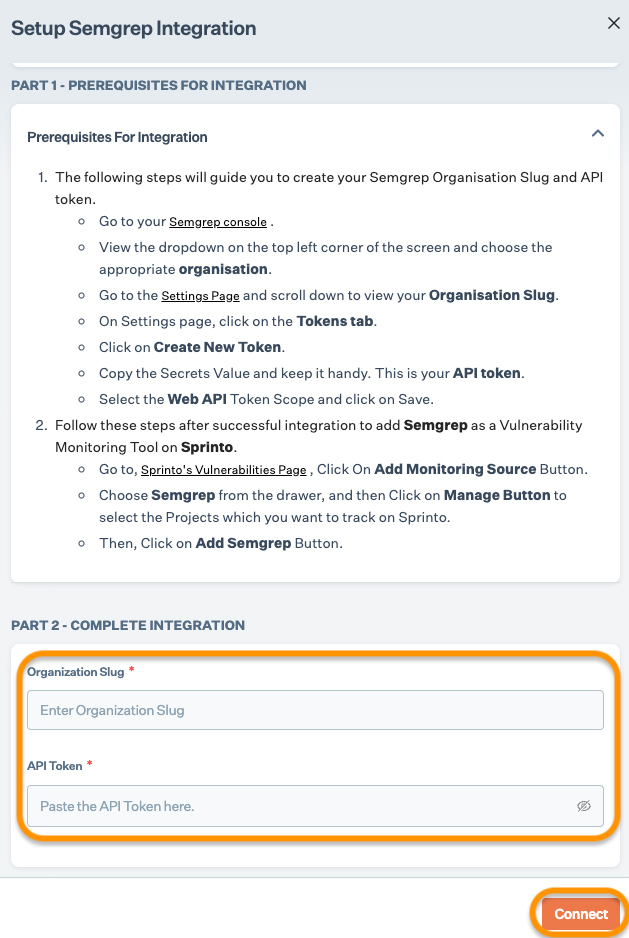
1. Get API token from Semgrep.

* Log in to the[Semgrep account](https://semgrep.dev/login) using your credentials or available Single Sign-On (SSO) options.
* Choose your desired organization from the dropdown menu at the top.
* Go to Settings, scroll down, and copy the organization slug.
* On Settings page, select the Tokens tab.
* Click Create New Token, to generate a new API token.
* Copy and save the generated token securely. We will need this detail on Sprinto to build integration.

2. Integrate Semgrep on Sprinto.

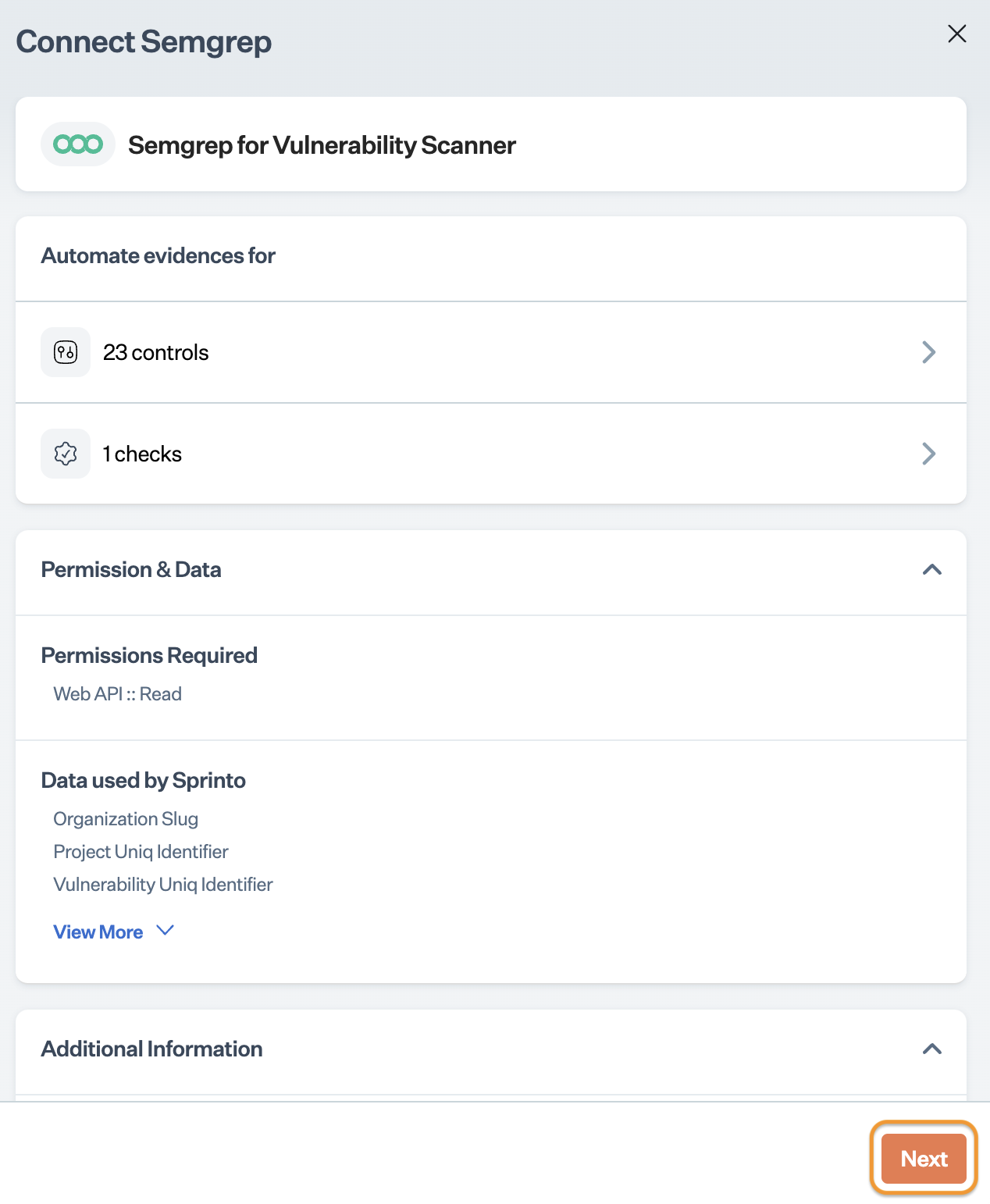
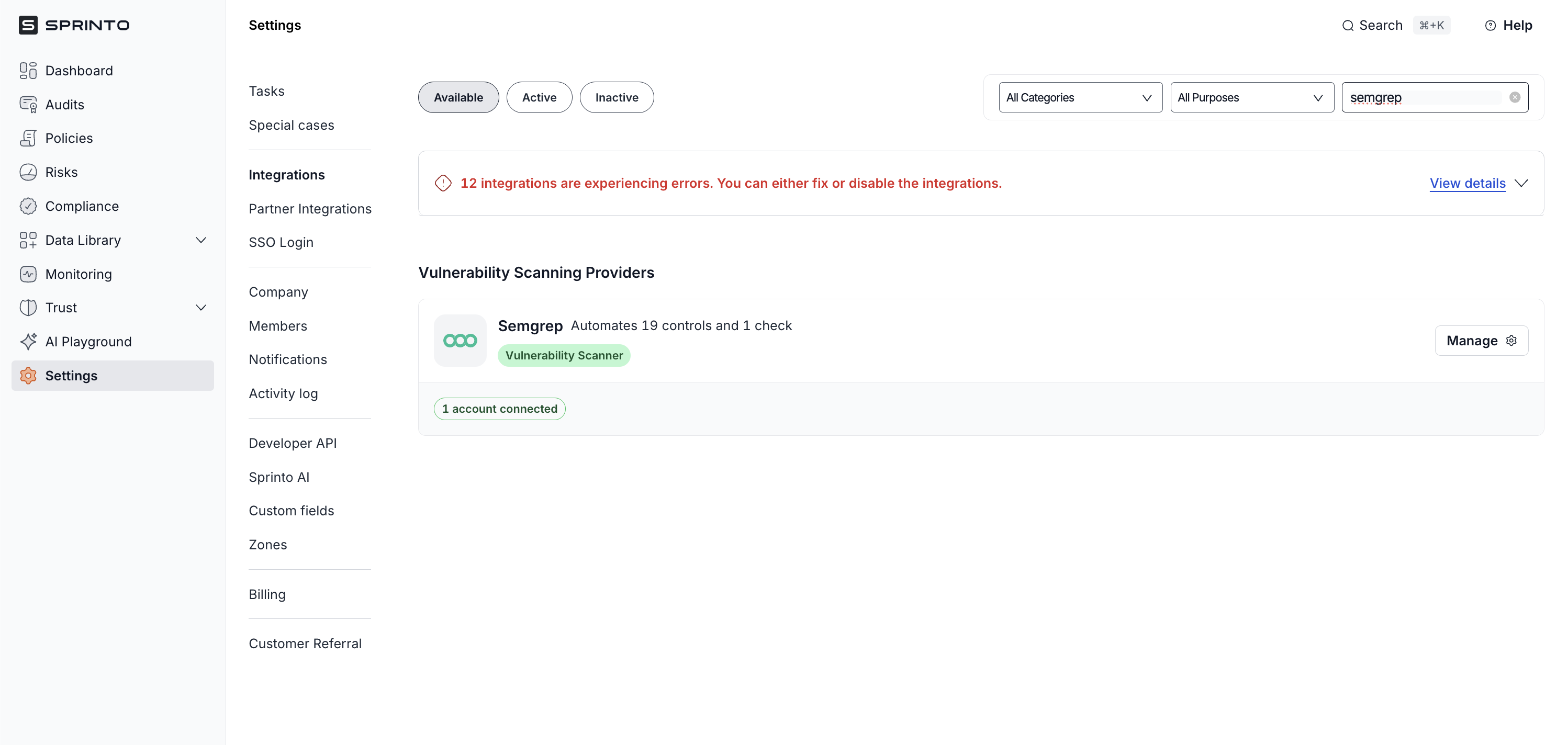
* Go to Settings > Integrations > Available, and click Connect next to Semgrep.

  <figure><img src="/files/aEAieGrh3eJ9Rz7rpVNs" alt="" width="563"><figcaption></figcaption></figure>
* Read the on-screen instructions, and click Next.

  <figure><img src="https://s3.amazonaws.com/cdn.freshdesk.com/data/helpdesk/attachments/production/72098186048/original/GLTjPwptORb0d9ABmTMlRWHgHSTVk_hFOw.png?1715858505" alt="" width="375"><figcaption></figcaption></figure>
* Enter Organization Slug and API Token copied from Step 1, and click Connect.<br>

  <figure><img src="https://s3.amazonaws.com/cdn.freshdesk.com/data/helpdesk/attachments/production/72086943331/original/z4NerZ11CNDU51luLzyVWlbbwKiJCkx2VQ.png?1708957030" alt="" width="375"><figcaption></figcaption></figure>

3. Add Semgrep as a vulnerability scanner on Sprinto.

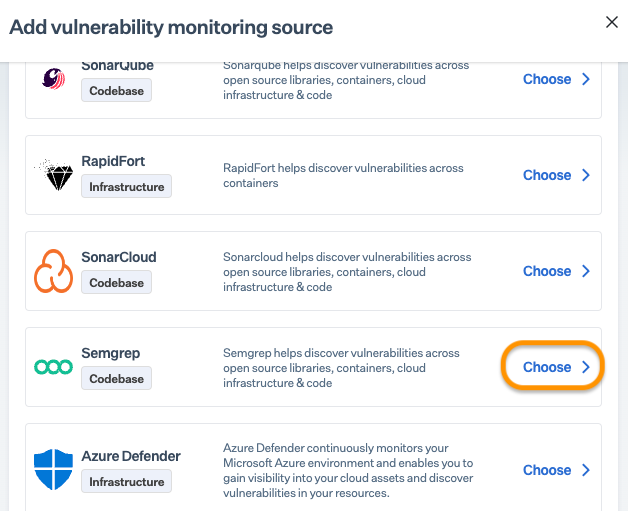
* Go to Data Library > Vulnerabilities > Overview, and click + Add monitoring source.
* On Add vulnerability monitoring source page, click Choose next to Semgrep.<br>

  <figure><img src="https://s3.amazonaws.com/cdn.freshdesk.com/data/helpdesk/attachments/production/72086943329/original/j8BQRuNSbCUj_DKwTSVbCiMKcCPX6-dwug.png?1708957030" alt="" width="563"><figcaption></figcaption></figure>
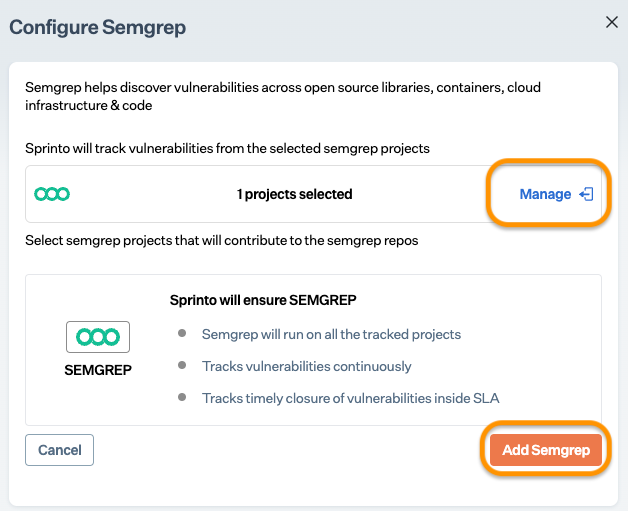
* If required, click on **Manage** to modify your selected projects, and click Add Semgrep.

Note: By default, Sprinto selects all projects/groups from your integrated Semgrep account for tracking.

<figure><img src="https://s3.amazonaws.com/cdn.freshdesk.com/data/helpdesk/attachments/production/72086943328/original/Wco8MoXuzJ6LpBICFrc6qmGja5E8oytBpQ.png?1708957029" alt="" width="563"><figcaption></figcaption></figure>

### Final step <a href="#final-step" id="final-step"></a>

After completing Step 3, allow 15 to 20 minutes for Sprinto to finish the data syncing process. Sprinto may take a few hours to evaluate the synced data and activate relevant Sprinto checks.&#x20;

If needed, go to Data Library > Vulnerability and select Semgrep to review the pending vulnerabilities.

Connect [Sprinto support](mailto:www.support@sprinto.com) if you have any queries related to the integration or need any assistance.


---

# Agent Instructions
This documentation is published with GitBook. GitBook is the documentation platform designed so that both humans and AI agents can read, navigate, and reason over technical content effectively. Learn more at gitbook.com.

## Querying This Documentation
If you need additional information that is not directly available in this page, you can query the documentation dynamically by asking a question.

Perform an HTTP GET request on the current page URL with the `ask` query parameter:

```
GET https://docs.sprinto.com/integrations/overview/semgrep-integration.md?ask=<question>
```

The question should be specific, self-contained, and written in natural language.
The response will contain a direct answer to the question and relevant excerpts and sources from the documentation.

Use this mechanism when the answer is not explicitly present in the current page, you need clarification or additional context, or you want to retrieve related documentation sections.