# Oracle HCM Integration

About

The following guide will help you to integrate Oracle HCM with Sprinto.

Oracle Cloud Human Capital Management (HCM) is a comprehensive, cloud-based HR solution designed for organizations of all sizes. It provides a wide range of functionalities, including talent management, payroll, benefits administration, and workforce analytics.&#x20;

#### How it helps in People management:

The HRMS services integrations with Sprinto allow Sprinto to retrieve staff details like user name, email address, job role, reporting manager, and joining date. Organizations need to maintain the critical information database for staff members to maintain security compliance postures, and Sprinto helps to do that with this integration.

#### Sprinto checks for Oracle HCM:

Below are the available Sprinto checks for Oracle HCM:

<table><thead><tr><th width="163.7734375">Sprinto check</th><th>Required action</th></tr></thead><tbody><tr><td>Staff role should be assigned</td><td>A defined job role is not assigned.<br><br>To update staff details, navigate to Security Hub > Staff > In scope staff, then select the staff member you wish to update details.</td></tr><tr><td>Reporting manager should be assigned</td><td>The reporting manager is not assigned.<br><br>To update staff details, navigate to Security Hub > Staff > In scope staff, then select the staff member you wish to update details. </td></tr><tr><td>Date of joining for new staff should be provided</td><td>The staff’s organization joining date is missing.<br><br>To update staff details, navigate to Security Hub > Staff > In scope staff, then select the staff member you wish to update details.</td></tr></tbody></table>

### Before you begin

* Log in to the Sprinto admin portal using your credentials.
* You need to have administrator privileges on the Oracle HCM account you are integrating.
* Ensure you have a paid account on Oracle HCM to build integration with Sprinto.

### Procedure

Note: Sprinto utilizes[ Merge’s](https://www.merge.dev/) API to streamline the data inflow.

1. Integrate Oracle HCM with Sprinto.
   1. From the Sprinto admin portal, navigate to Settings > Integrations, and select the Available tab.
   2. Click Connect next to Oracle HCM.

      <figure><img src="https://3220032727-files.gitbook.io/~/files/v0/b/gitbook-x-prod.appspot.com/o/spaces%2FEsyn5VMU6e0OyGjRtKgx%2Fuploads%2FiN3mqBpOeaofVi66dZP5%2FScreenshot%202025-09-25%20at%2017.55.26.png?alt=media&#x26;token=dd28daf2-6baf-4055-bb57-f22429a2d8c4" alt="" width="563"><figcaption></figcaption></figure>
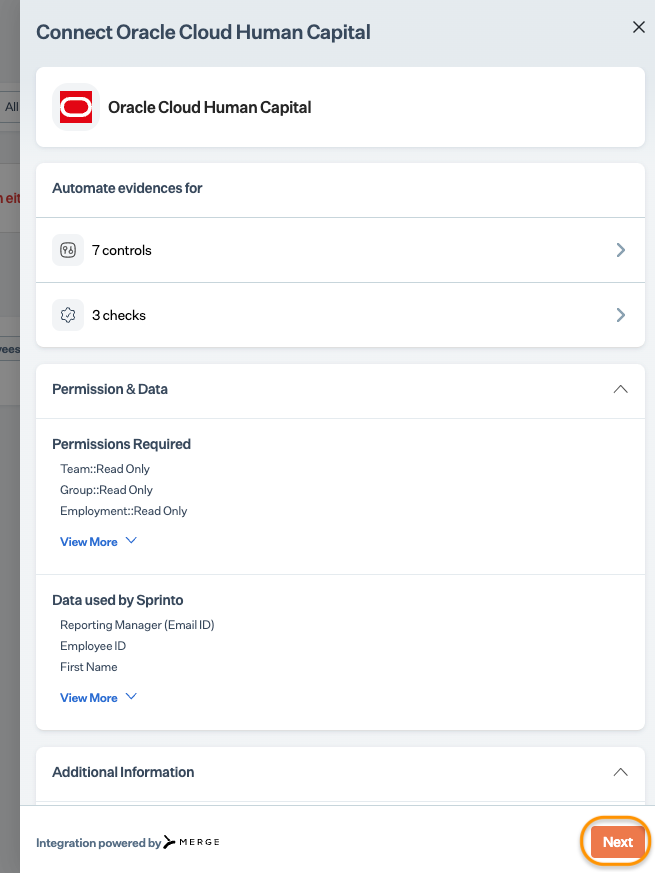
   3. Read the on-screen instructions, and click Next.

      <figure><img src="https://s3.amazonaws.com/cdn.freshdesk.com/data/helpdesk/attachments/production/72116424409/original/R5NYnga-zyz6OuSzITt1ve--KQw0T6zWtg.png?1727101311" alt="" width="375"><figcaption></figcaption></figure>
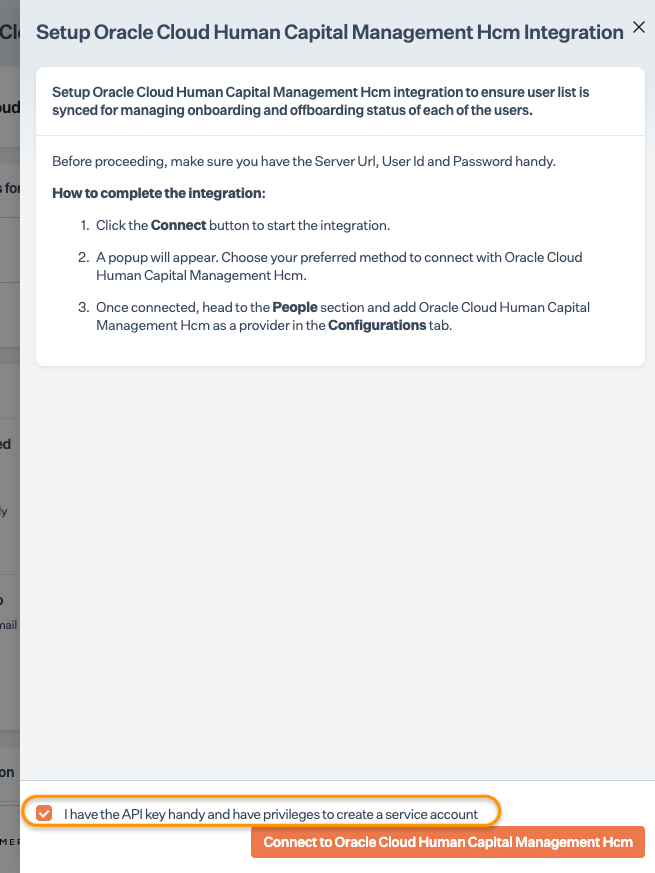
   4. Select the acknowledgment checkbox, and click Connect to Oracle HCM. \
      Note: Ensure the pop-up window is enabled on your browser.

      <figure><img src="https://s3.amazonaws.com/cdn.freshdesk.com/data/helpdesk/attachments/production/72116424410/original/RjJvJ9M9tbLO7fME6nPaSK7ex5twh3SdKQ.png?1727101311" alt="" width="375"><figcaption></figcaption></figure>
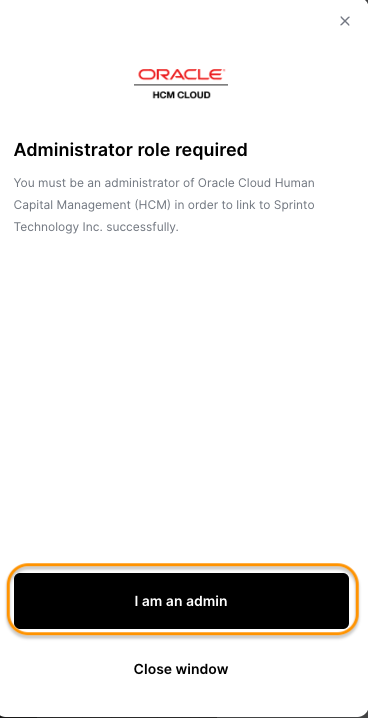
   5. Click I am an admin.<br>

      <figure><img src="https://s3.amazonaws.com/cdn.freshdesk.com/data/helpdesk/attachments/production/72116424400/original/U7-pxikiWYw93BsUTOJzSLvpaAtAW_3EAA.png?1727101310" alt="" width="375"><figcaption></figcaption></figure>
   6. Click Next.
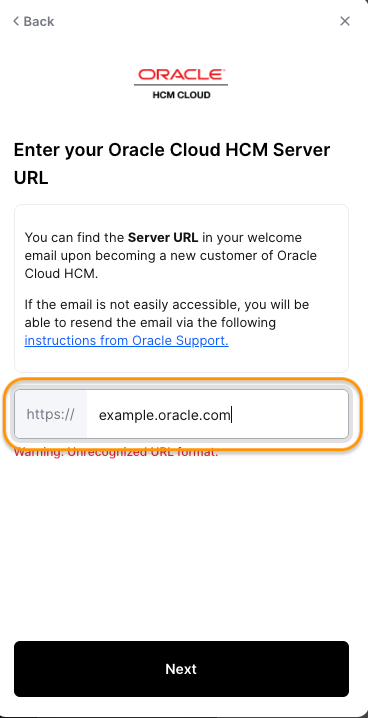
   7. Enter your Oracle HCM account’s server URL, and click Next.

      <figure><img src="https://s3.amazonaws.com/cdn.freshdesk.com/data/helpdesk/attachments/production/72116424407/original/FtXJAv1fL_LDtqQWwuBhgFdJ7A9EIeTj4A.png?1727101311" alt=""><figcaption></figcaption></figure>
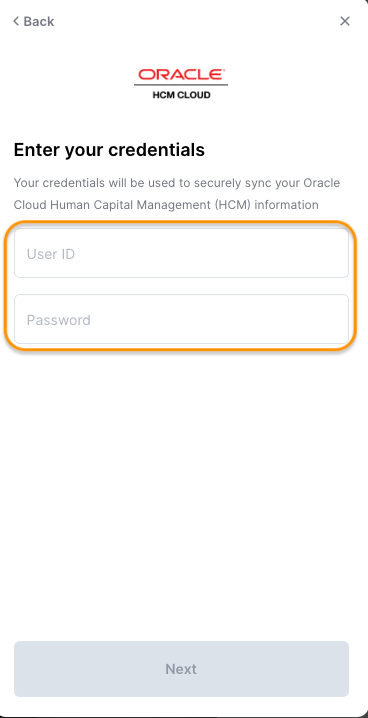
   8. Enter your Oracle Cloud HCM User ID and Passowrd in respective filed and click next to login.<br>

      <figure><img src="https://s3.amazonaws.com/cdn.freshdesk.com/data/helpdesk/attachments/production/72116424396/original/-4euZTO1cZRCpHoHYFptgRxsPgk8DzAmOA.png?1727101310" alt="" width="375"><figcaption></figcaption></figure>
   9. If asked, follow the on-screen instructions and grant Sprinto the necessary permissions.
2. Add Oracle HCM as a people source.
   1. From the Sprinto admin portal, navigate to Data Library > People, then click the Configuration tab.
   2. Click Manage next to Staff Information Providers.
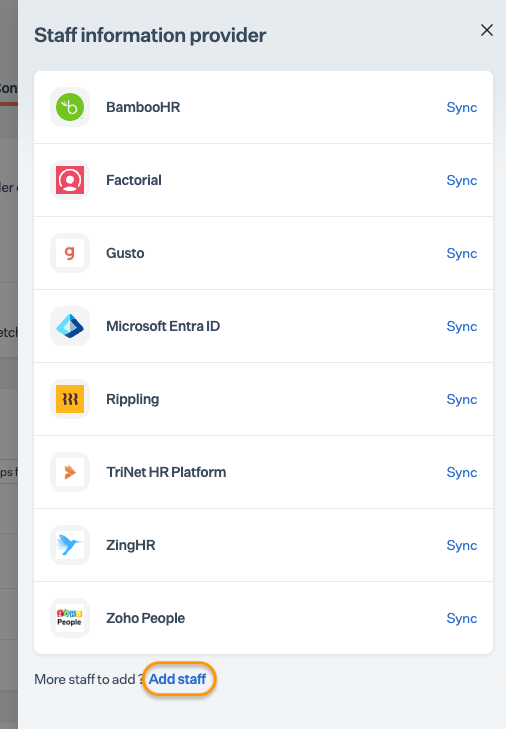
   3. Click Add Staff.<br>

      <figure><img src="https://s3.amazonaws.com/cdn.freshdesk.com/data/helpdesk/attachments/production/72116424406/original/TUESBnUz5x0eWz-KLYEiogWV3PisLwANkQ.png?1727101310" alt=""><figcaption></figcaption></figure>
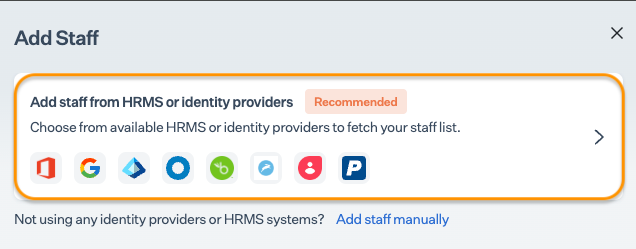
   4. Click Add staff from HRMS or identity providers.

      <figure><img src="https://s3.amazonaws.com/cdn.freshdesk.com/data/helpdesk/attachments/production/72116424399/original/3NfeJ6As75gzObM3BOOTVI6Wi8GQJWAe9A.png?1727101310" alt=""><figcaption></figcaption></figure>
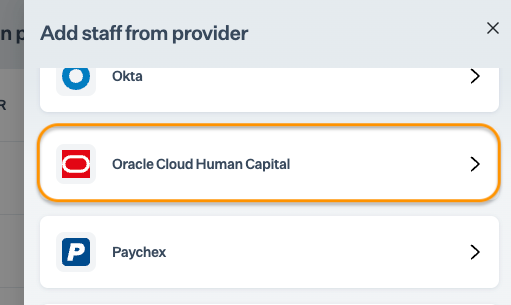
   5. Select Oracle HCM from the list of providers. \
      Note: “Connected” is highlighted for the integrated services.

      <figure><img src="https://s3.amazonaws.com/cdn.freshdesk.com/data/helpdesk/attachments/production/72116424395/original/phuaTLCOjKd-Rv2-WTv5_EzhxOa5mP-zcg.png?1727101310" alt=""><figcaption></figcaption></figure>
   6. Click Add Oracle HCM.

### Support

Get in touch with our support team if you have queries related to HRMS integration or need any assistance.