> For the complete documentation index, see [llms.txt](https://docs.sprinto.com/llms.txt). Markdown versions of documentation pages are available by appending `.md` to page URLs; this page is available as [Markdown](https://docs.sprinto.com/integrations/overview/google-analytics-integration.md).

# Google Analytics Integration

Google Analytics is one of the leading web analytics software that organizations uses to track and report website traffic.

**Note**: We use [Truto.one](https://truto.one/) as our integration partner to integrate and fetch required user details from the Google Analytics account.

### How does this Integration help <a href="#how-does-this-integration-help" id="how-does-this-integration-help"></a>

* Integration helps to fetch users list from the Google Analytics account.
* If a staff member with Google Analytics account access is offboarded, Sprinto activates a check against that staff member to revoke the access.

### Sprinto checks for Google Analytics <a href="#sprinto-checks-for-google-analytics" id="sprinto-checks-for-google-analytics"></a>

Below is the list of Sprinto checks available for Google Analytics:

<table><thead><tr><th width="543.7578125">Sprinto check</th><th>Reference procedure</th></tr></thead><tbody><tr><td>User should be identified</td><td><a href="/pages/NCqV9BepFyI4nXfJArP4">How to fix</a></td></tr><tr><td>Google Analytics access should be removed for offboarded user</td><td><a href="/pages/82H3Gt6HK0c6vjdDWYl3">How to fix</a></td></tr><tr><td>Critical system access control should be configured</td><td><a href="/pages/NCqV9BepFyI4nXfJArP4">How to fix</a></td></tr><tr><td><p>User access to Critical System should be valid</p><p>Note: The user access to the critical system becomes valid if the respective Org role is added for the system.</p></td><td><a href="/pages/NCqV9BepFyI4nXfJArP4">How to fix</a></td></tr></tbody></table>

### Prerequisites for Integration <a href="#prerequisites-for-integration" id="prerequisites-for-integration"></a>

* Log in to Sprinto as administrator.
* Ensure you have “Admin” access on the Google Analytics account you want to integrate.

### How to Integrate Sprinto with Google Analytics <a href="#how-to-integrate-sprinto-with-google-analytics" id="how-to-integrate-sprinto-with-google-analytics"></a>

1. **Integrating Google Analytics account.**
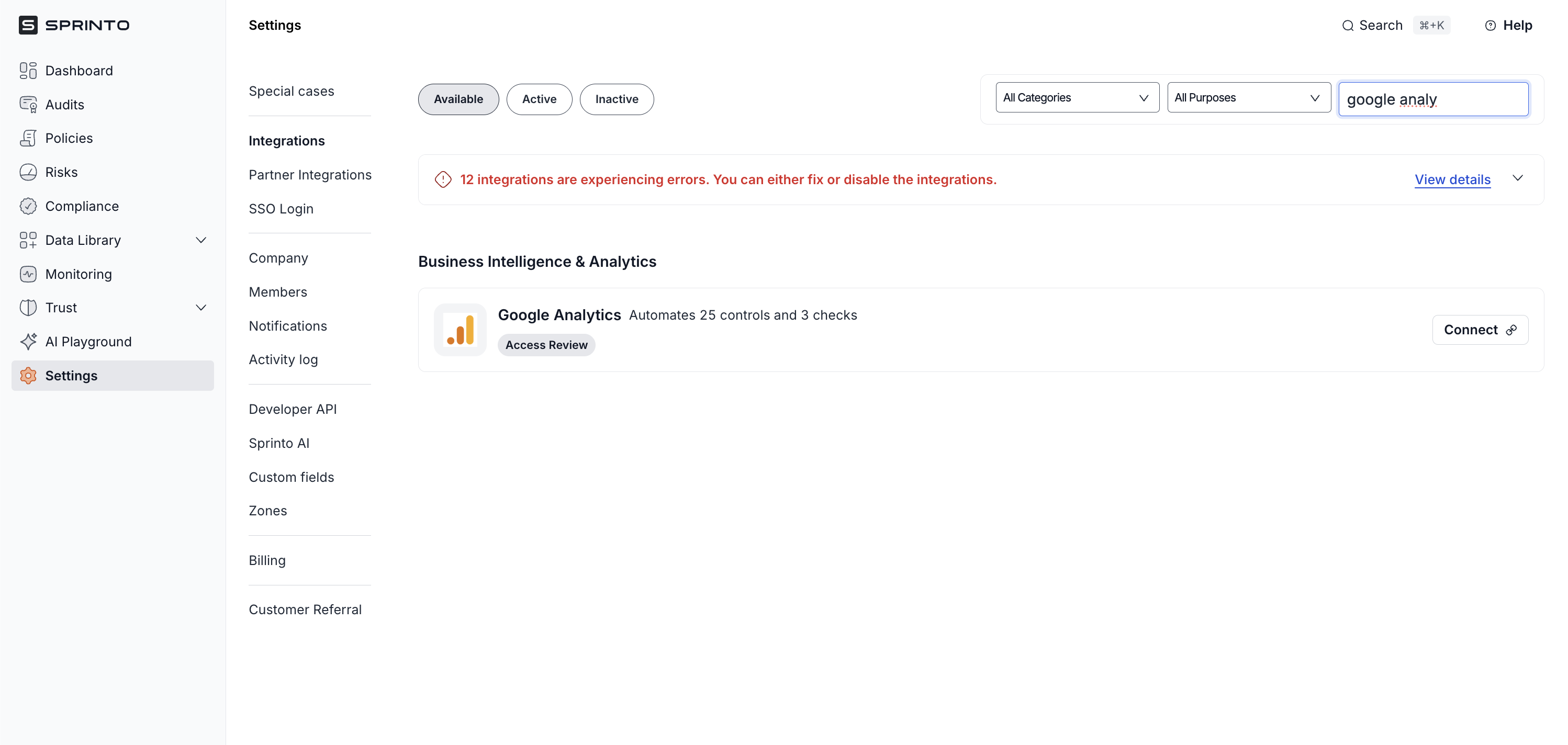
   1. Go to **Settings > Integrations > Available**, and click **Connect** next to Google Analytics.

      <figure><img src="/files/xp5JC2JzoOwjPYmZog66" alt="" width="563"><figcaption></figcaption></figure>
   2. On Integration page, select the acknowledgement checkbox and click Connect to Google Analytics.
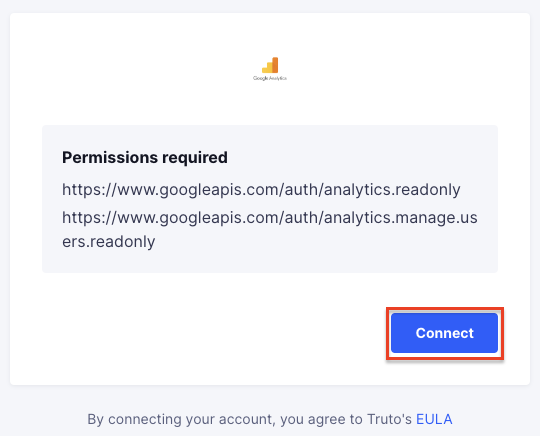
   3. On Google Analytics authentication page, click Connect.

      <figure><img src="https://s3.amazonaws.com/cdn.freshdesk.com/data/helpdesk/attachments/production/72073826425/original/00xuhaM-Ow9gnrRhN2BiC_-KihrHOZ6hRA.png?1700756053" alt="" width="375"><figcaption></figcaption></figure>
   4. Login to your Google Analytics account using the Single sign-on login option.
2. **Configuring Google Analytics as a critical system.**
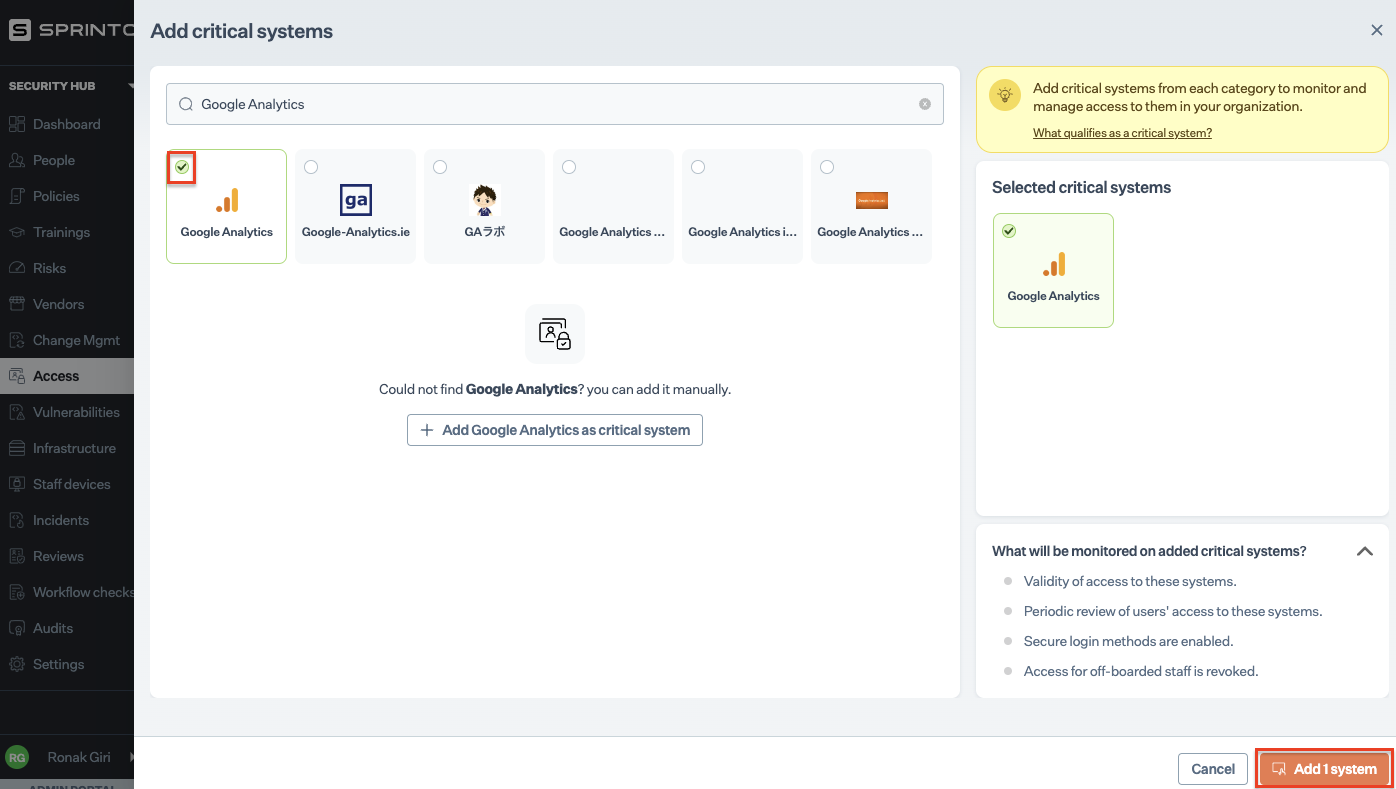
   1. On Sprinto app, go to **Data Library > Access** and click **Add a Critical System**.
   2. On Add Critical System page, select Google Analytics and click Add Systems.
   3. Configure valid access for Google Analytics. Refer to [define critical system access](https://sprinto.freshdesk.com/support/solutions/articles/72000606015-how-to-define-critical-system-user-access-mcas-on-sprinto-) to learn more.

      <figure><img src="https://s3.amazonaws.com/cdn.freshdesk.com/data/helpdesk/attachments/production/72073826561/original/yCMhdrnoIZf45sLrotOPBftJKYnPyjmhzQ.png?1700756111" alt="" width="563"><figcaption></figcaption></figure>

### Final step <a href="#final-step" id="final-step"></a>

This completes the integration. To check if there are any pending tasks or failing checks, go to Security Hub > Access and look for Google Analytics critical system card.


---

# Agent Instructions
This documentation is published with GitBook. GitBook is the documentation platform designed so that both humans and AI agents can read, navigate, and reason over technical content effectively. Learn more at gitbook.com.

## Querying This Documentation
If you need additional information that is not directly available in this page, you can query the documentation dynamically by asking a question.

Perform an HTTP GET request on the current page URL with the `ask` query parameter:

```
GET https://docs.sprinto.com/integrations/overview/google-analytics-integration.md?ask=<question>
```

The question should be specific, self-contained, and written in natural language.
The response will contain a direct answer to the question and relevant excerpts and sources from the documentation.

Use this mechanism when the answer is not explicitly present in the current page, you need clarification or additional context, or you want to retrieve related documentation sections.